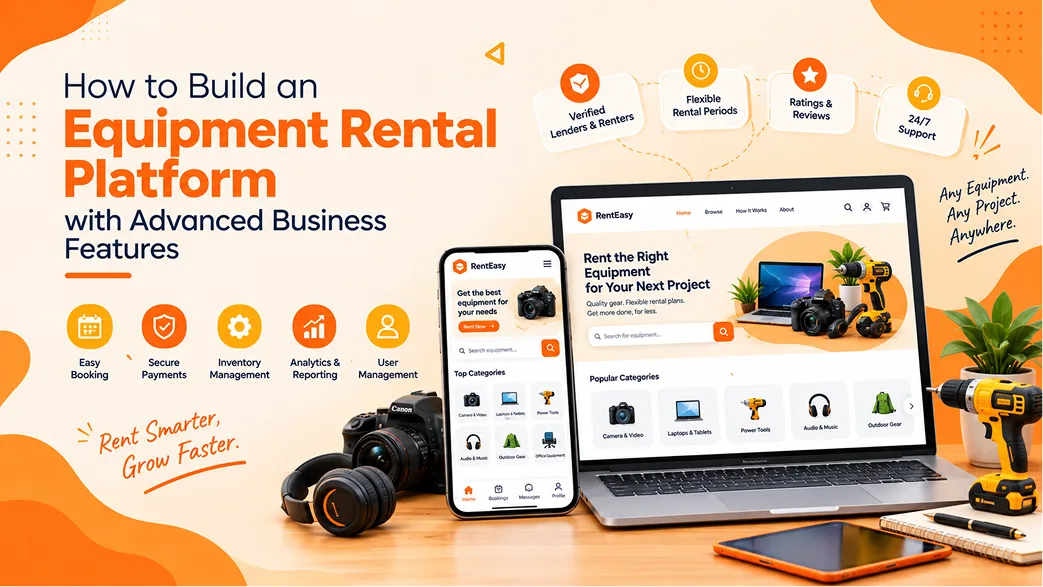
How to Build an Equipment Rental Platform with Advanced Business Features
Equipment rental businesses play an important role in industries such as construction, agriculture, manufacturing, infrastructure, and event management. Instead of purchasing expensive machinery or tools, businesses can rent the equipment they need for a specific project or period. This creates opportunities for rental companies to serve more customers while helping clients manage their equipment expenses.
However, managing an equipment rental business involves more than listing products and accepting bookings. Businesses must track equipment availability, manage rental periods, handle agreements, collect payments, coordinate deliveries, inspect returned items, and schedule maintenance.
When these activities are handled through spreadsheets, phone calls, and separate systems, operational errors can increase. Equipment rental software brings these workflows together, helping businesses manage their rental operations through a centralised digital platform.
Whether you are planning a construction equipment rental website, a machinery rental marketplace, or an internal rental management system, understanding the required features and business workflows is essential before development begins.
What Is Equipment Rental Software?
Equipment rental software is a digital system designed to manage the activities involved in renting equipment, machinery, tools, and other assets. It helps businesses maintain equipment records, publish rental listings, manage bookings, calculate rental charges, track returns, and organise customer information.
Depending on the business model, the software may operate as a single-company rental management system or a multi-vendor marketplace that connects equipment owners with customers.
Common applications include:
- Construction equipment rental: Excavators, cranes, loaders, generators, compactors, and other construction machinery.
- Industrial machinery rental: Manufacturing equipment, material handling machines, and specialised industrial tools.
- Agricultural equipment rental: Tractors, harvesters, irrigation equipment, and farming machinery.
- Power tool rental: Drills, cutting machines, compressors, welding equipment, and other tools.
- Scaffolding and access equipment rental: Scaffolding systems, aerial platforms, lifts, and safety equipment.
- Event equipment rental: Lighting, sound systems, furniture, stages, and event accessories.
The system should be designed around the type of equipment, rental duration, customer requirements, and operational processes of the business.
Common Challenges in Equipment Rental Businesses
Equipment rental companies deal with several interconnected activities. Without a reliable management system, even a small booking or inventory error can affect customer satisfaction and business revenue.
1. Difficulty Tracking Equipment Inventory
Rental businesses may manage hundreds or thousands of equipment units across different categories and locations. Tracking their availability, condition, current location, and rental status manually can become difficult.
A centralised inventory system helps businesses understand which assets are available, reserved, rented, under maintenance, or temporarily unavailable.
2. Double Bookings and Availability Conflicts
When booking information is maintained across different spreadsheets or communication channels, two customers may request the same equipment for overlapping periods.
A rental booking calendar connected to inventory records helps prevent these conflicts and provides more accurate availability information.
3. Managing Rental Agreements and Customer Documents
Equipment rental may require identity documents, business details, permits, insurance information, and signed rental agreements. Handling these documents manually can slow down the booking process and make record retrieval difficult.
Digital document storage and verification workflows help keep the required information organised.
4. Late Returns and Equipment Damage
Late equipment returns can affect the next customer's booking and reduce the utilisation of rental assets. Equipment may also be returned with missing components or damage that requires inspection and repair.
Return tracking, inspection records, overdue notifications, and configurable late fees can help businesses manage these situations more consistently.
5. Complex Rental Pricing
Different equipment categories may require different rental rates. Some assets are charged hourly, while others use daily, weekly, or monthly pricing. Additional charges may apply for delivery, operators, fuel, accessories, or extended rental periods.
A flexible pricing engine helps calculate rental charges based on configured business rules and reduces manual billing errors.
6. Managing Payments, Deposits, and Invoices
Rental transactions may involve advance payments, refundable security deposits, additional service charges, overdue fees, and refunds. Keeping these transactions organised is important for financial visibility and customer trust.
Integrated billing and payment management can simplify the process from booking confirmation to final settlement.
What Should You Look for in Equipment Rental Software?
Choosing or developing rental software requires an understanding of the complete rental lifecycle. The following capabilities are important when planning a solution.
1. Real-Time Inventory and Availability Management
Inventory management is one of the most important components of equipment rental software. Each equipment record should contain useful information such as:
- Equipment name, category, and description
- Model, serial number, and asset identification
- Quantity or individually tracked units
- Equipment images and technical specifications
- Current location and operational status
- Rental price and availability calendar
- Maintenance and inspection history
For businesses managing individual machinery units, the system should track each asset separately. For interchangeable items such as bulk tools or event chairs, quantity-based inventory may be more suitable.
2. Rental Booking Calendar
A booking calendar allows customers or internal staff to select equipment and check availability for a required rental period.
The booking workflow should account for:
- Start date and return date
- Equipment availability
- Existing reservations
- Preparation and inspection time
- Delivery and collection schedules
- Booking changes and cancellations
The system should update equipment availability when a booking is confirmed and ensure that overlapping reservations are handled correctly.
3. Flexible Rental Pricing
Rental pricing should be configurable according to the business's equipment categories and rental policies.
Common pricing options include:
- Hourly rental rates
- Daily rental rates
- Weekly rental rates
- Monthly rental rates
- Seasonal or demand-based pricing
- Long-duration discounts
- Additional charges for accessories or services
Administrators should be able to define pricing rules and review the final rental calculation before confirming an order.
4. Rental Agreements and Digital Signatures
Rental agreements document the terms between the equipment owner and the customer. The system should support configurable agreement templates containing rental duration, charges, deposit conditions, responsibilities, return requirements, and damage policies.
Digital signatures can help reduce paperwork and simplify agreement approval. Signed documents should be stored against the relevant customer and rental order for future reference.
5. Customer Document Verification
Some equipment categories require additional checks before the equipment can be rented. For example, businesses may need to verify customer identity, company registration, operator qualifications, insurance documents, or equipment permits.
The platform can support document uploads, review statuses, approval or rejection, expiry dates, and secure document storage. Access to sensitive records should be restricted to authorised users.
6. Security Deposit Management
Security deposits help rental businesses manage the financial risk associated with equipment damage, missing items, or overdue returns.
The system should allow businesses to configure deposit amounts, collect deposits during booking, record deductions with supporting information, and process eligible refunds after inspection.
Deposit collection and refund rules should be clearly communicated to customers before they confirm a rental.
7. Equipment Inspection and Return Management
Equipment should be inspected before dispatch and after return. An inspection module can record the condition of the asset at both stages.
Useful inspection information includes:
- Equipment condition and operating status
- Photos taken before dispatch and after return
- Existing and newly identified damage
- Missing accessories or components
- Fuel level or operating-hour readings, where relevant
- Inspection notes and staff details
These records help businesses compare the equipment's condition across rental periods and support transparent damage assessments.
8. Overdue Return Tracking
The platform should identify equipment that has not been returned by the agreed date. Automated reminders can notify customers and rental staff about approaching or overdue returns.
Administrators may configure grace periods, extension approvals, and additional rental charges according to the business's policies.
9. Maintenance and Service Management
Equipment maintenance is essential for safety, reliability, and asset utilisation. A rental platform should allow staff to schedule preventive maintenance and record repair activities.
Maintenance features may include:
- Preventive maintenance schedules
- Service and repair history
- Maintenance due notifications
- Equipment downtime tracking
- Spare parts and service records
- Maintenance-related equipment status
Equipment marked as unavailable for maintenance should not be offered for new bookings during the restricted period.
10. Reports and Business Analytics
Reports help rental business owners understand how their equipment and operations are performing.
Useful reports may include:
- Total bookings and rental revenue
- Equipment utilisation rate
- Most frequently rented equipment
- Available and inactive inventory
- Overdue returns and pending deposits
- Maintenance expenses and equipment downtime
- Customer booking history
- Location-wise performance
These insights can help businesses make decisions about equipment purchases, maintenance planning, pricing, and expansion.
Single-Vendor vs Multi-Vendor Equipment Rental Platform
Before developing an equipment rental platform, it is important to decide how the business will operate. Two common models are single-vendor rental operations and multi-vendor rental marketplaces.
Single-Vendor Equipment Rental Platform
In a single-vendor model, one rental company owns or manages the equipment and directly serves its customers through the platform.
A typical workflow includes:
- The company adds equipment listings and rental rates.
- Customers browse available equipment and select rental dates.
- The system calculates the rental amount and applicable deposit.
- The customer submits the booking and completes payment.
- The company confirms the order and arranges collection or delivery.
- After the rental period, the equipment is returned and inspected.
- The deposit is refunded or adjusted according to the agreed conditions.
This model is suitable for equipment dealers, machinery rental companies, and businesses managing their own rental inventory.
Multi-Vendor Equipment Rental Marketplace
A multi-vendor model connects multiple equipment owners or rental companies with customers through one central platform. Vendors manage their own equipment listings while the marketplace administrator manages the overall platform.
A typical workflow includes:
- Equipment vendors register and submit their business information.
- The administrator reviews and approves vendor accounts.
- Approved vendors upload equipment listings, pricing, and availability.
- Customers search for equipment and submit rental requests.
- The vendor accepts the booking and arranges fulfilment.
- The platform manages payments, commissions, and transaction records according to configured rules.
- After the rental period, the vendor manages inspection and return confirmation.
- The marketplace processes applicable settlements and vendor payouts.
This model can help a marketplace expand its equipment selection without owning every asset. However, vendor verification, service quality, booking responsibility, commission rules, and dispute handling need to be clearly defined.
Additional Revenue Models for Equipment Rental Businesses
A rental business can generate revenue through different channels depending on whether it operates as an equipment owner, rental company, or marketplace.
Rental Income
The primary revenue source is the amount collected for renting equipment over a specified period.
Equipment Sales
Businesses may also sell selected equipment, used machinery, spare parts, or accessories through the same platform. Rental and sales inventory should be clearly distinguished.
Delivery and Additional Services
Optional services such as equipment transportation, installation, operator assistance, and on-site support can create additional revenue opportunities.
Marketplace Commission
A multi-vendor platform may collect a percentage or fixed fee from completed rental transactions, based on its vendor agreement.
Vendor Subscription Plans
Marketplace operators may offer paid vendor plans with different listing limits, promotional benefits, or platform services.
Featured Equipment Listings
Vendors may pay to promote selected equipment listings in featured sections or search placements, subject to transparent advertising rules.
Advanced Features for Growing Rental Businesses
Multi-Location Management
Businesses operating across multiple branches or warehouses need centralised visibility into equipment availability, transfers, bookings, and location-specific operations.
GPS and Equipment Tracking Integration
For suitable machinery and vehicles, GPS or telematics integration can help businesses monitor equipment location and selected operating information. Tracking capabilities depend on compatible devices and third-party services.
RFQ and Custom Quotation Management
Large construction projects and industrial customers may require multiple equipment units, long rental periods, or specialised services. A request-for-quotation module allows customers to submit requirements and receive customised pricing from the rental company or vendor.
Delivery and Dispatch Management
Delivery workflows help staff assign equipment, schedule transport, record dispatch details, and confirm delivery or collection. Businesses with their own fleet may also require driver assignments and delivery status updates.
Mobile Access for Field Teams
Field staff may need mobile access to equipment records, inspection checklists, delivery information, customer details, and return confirmations. A mobile application can make these workflows easier to complete outside the office.
Accounting and Business System Integrations
Integrations with accounting, CRM, payment, and inventory systems can reduce duplicate data entry and improve financial visibility. The integration scope should be defined according to the software already used by the business.
Admin, Vendor, and Customer Dashboards
A successful rental platform should provide different dashboards for each user role rather than exposing every function through one interface.
Admin Dashboard
- Manage customers, vendors, and staff accounts
- Approve vendor registrations and equipment listings
- Manage equipment categories and attributes
- Monitor bookings, payments, refunds, and commissions
- Configure rental rules, deposits, and cancellation policies
- Review reports and business performance
- Manage support requests and disputes
- Configure locations, notifications, and platform settings
Vendor or Equipment Owner Dashboard
- Manage business profile and verification documents
- Add and update equipment listings
- Manage rental rates and availability
- Accept or reject booking requests
- Track equipment dispatch and returns
- Manage rental agreements and inspections
- View transaction history and earnings
- Track customer communication and feedback
Customer Dashboard
- Browse and compare available equipment
- Check equipment specifications and availability
- Submit booking or quotation requests
- Upload required documents
- View agreements, invoices, and payment history
- Track upcoming and completed rentals
- Request extensions or cancellations
- Submit feedback and support requests
How to Build Custom Equipment Rental Software
Step 1: Identify the Equipment Rental Business Model
Decide whether the platform will serve one rental company or multiple vendors. Identify the equipment categories, customer segments, rental durations, and operational responsibilities.
Step 2: Map the Complete Rental Workflow
Document each stage from equipment listing and availability checks to booking, payment, dispatch, return, inspection, and settlement. Include exceptional situations such as late returns, cancellations, damaged equipment, and booking extensions.
Step 3: Prepare the Feature Requirements
Separate essential features from advanced capabilities. An initial release may focus on inventory, bookings, pricing, customer records, payments, and basic administration. Maintenance, GPS tracking, multi-location operations, and advanced analytics can be planned according to business priorities.
Step 4: Design the User Experience
Prepare separate workflows for customers, vendors, administrators, and field staff. Ensure that users can quickly find equipment, understand rental charges, manage bookings, and complete their responsibilities without unnecessary steps.
Step 5: Select the Technology and Integrations
Choose a suitable architecture for the expected users, equipment records, transactions, and integrations. Evaluate payment gateways, maps, notifications, accounting systems, and tracking services based on the actual requirements.
Step 6: Develop the Platform
Build the agreed modules and connect the core workflows. Ensure that inventory, booking, payment, and equipment status updates remain consistent across the system.
Step 7: Test Real-World Rental Scenarios
Test booking conflicts, equipment availability, rental extensions, deposit refunds, damaged returns, maintenance blocks, permissions, and financial calculations. Test mobile usability for customers and field staff as well.
Step 8: Launch and Improve
Start with a controlled rollout, train staff and vendors, and monitor how the system performs during real rental operations. Use feedback and operational reports to prioritise improvements.
How Much Does Equipment Rental Software Development Cost?
The development cost depends on the size of the rental business, number of user roles, complexity of equipment tracking, integrations, and required applications.
Important cost factors include:
- Business model: A single-vendor rental system and a multi-vendor marketplace have different requirements.
- Inventory complexity: Individually tracked machinery requires more detailed records than simple quantity-based inventory.
- Booking and pricing rules: Flexible rental periods, custom quotations, deposits, and late fees add development effort.
- Maintenance management: Service schedules, repair records, spare parts, and equipment downtime workflows increase scope.
- Applications: A responsive website, admin panel, vendor portal, and mobile apps each require design and testing.
- Integrations: GPS, accounting, payments, maps, and notification services may require additional setup and recurring charges.
- Hosting and maintenance: Infrastructure, monitoring, support, security updates, and future enhancements should be considered.
For an accurate estimate, prepare a detailed requirement document and divide the project into development phases. This makes it easier to understand the initial investment and plan future features.
How to Choose the Right Equipment Rental Software
Whether you are purchasing an existing product or planning custom development, evaluate the solution against your actual rental operations.
- Equipment tracking: Can it manage individual asset records, serial numbers, locations, and maintenance history?
- Booking accuracy: Does it prevent overlapping bookings and account for preparation and return periods?
- Pricing flexibility: Can it support hourly, daily, weekly, and monthly rental rates?
- Agreement management: Can the system generate, store, and manage rental agreements?
- Return and inspection workflows: Can staff record damage, missing items, and equipment condition?
- Financial operations: Does it support deposits, refunds, invoices, taxes, and payment tracking?
- Scalability: Can it support more equipment, users, branches, and transactions as the business grows?
- Integration capability: Can it connect with the accounting and operational systems you already use?
- Security and permissions: Can access be controlled by user role and business responsibility?
- Support and maintenance: Is there a clear process for updates, issue resolution, and technical support?
Do not choose software based only on the number of features advertised. Test important workflows using realistic examples from your business before making a decision.
Why Custom Software Can Be Useful for Equipment Rental Businesses
Equipment rental companies do not all operate in the same way. A small power-tool rental shop may need a straightforward booking and inventory system, while a heavy machinery rental business may require asset-level tracking, operating-hour records, maintenance planning, delivery coordination, and multi-location management.
Custom software development can help align the platform with these specific workflows. Businesses can prioritise the modules they need, integrate existing systems, and plan additional capabilities as operations expand.
At Vriksha Tech, businesses can discuss their software requirements and explore a custom development approach based on their operational needs. The project scope can cover web applications, mobile applications, admin dashboards, integrations, and business workflow automation.
Conclusion
Equipment rental software helps businesses bring inventory, bookings, agreements, payments, returns, and maintenance into a more organised operational system. It can improve visibility, reduce manual work, and support a smoother rental experience for both customers and equipment providers.
The right platform begins with a clear understanding of the rental business model and its day-to-day processes. Start with essential workflows, select the features that solve the biggest operational challenges, and plan the architecture to support future growth.
If you are planning an equipment rental website, a heavy machinery rental management system, or a multi-vendor rental marketplace, connect with Vriksha Tech to discuss your software requirements and development possibilities.
Frequently Asked Questions
What is equipment rental software?
Equipment rental software is a digital system that helps businesses manage equipment inventory, rental bookings, pricing, customer information, agreements, payments, returns, and maintenance activities.
What features should equipment rental software include?
Important features include inventory management, real-time availability, rental calendars, flexible pricing, digital agreements, security deposits, payment management, return tracking, equipment inspections, and reports.
Can equipment rental software manage heavy machinery?
Yes. A system designed for heavy machinery can manage individual asset records, equipment specifications, serial numbers, location, rental history, operating information where available, inspections, and maintenance schedules.
What is the difference between single-vendor and multi-vendor rental software?
Single-vendor software is designed for one rental company managing its own inventory and customers. Multi-vendor software allows multiple equipment providers to list their assets and receive rental requests through a shared marketplace.
Can an equipment rental platform support both renting and selling?
Yes. A platform can support rental listings and sales listings, provided the inventory, pricing, availability, order, and payment workflows distinguish between the two transaction types.
How does equipment rental software prevent double bookings?
The system checks equipment availability against existing reservations and rental periods before confirming a new booking. It can also account for preparation time, return processing, and maintenance blocks.
Can the software manage equipment maintenance?
Yes. Maintenance modules can record service history, schedule preventive maintenance, create repair tasks, and mark equipment unavailable during maintenance periods.
Can customers book equipment online?
Yes. Customers can browse equipment, check availability, select rental dates, review charges, submit bookings, and complete payments through a customer-facing website or application.
How can an equipment rental marketplace earn revenue?
Revenue options may include rental commissions, equipment sales commissions, vendor subscriptions, featured listings, delivery services, and additional rental-related services.
How much does it cost to develop equipment rental software?
The cost depends on the business model, number of modules, equipment tracking requirements, integrations, and whether web and mobile applications are required. A detailed feature scope is necessary for a reliable estimate.
Can equipment rental software integrate with GPS tracking and accounting systems?
Yes, integrations can be developed where compatible APIs or services are available. The exact capabilities depend on the GPS devices, accounting software, and integration requirements.
Ready to Build Your Next Digital Product?
Our experts will respond within 24 hours with a tailored approach for your project.