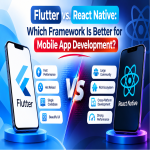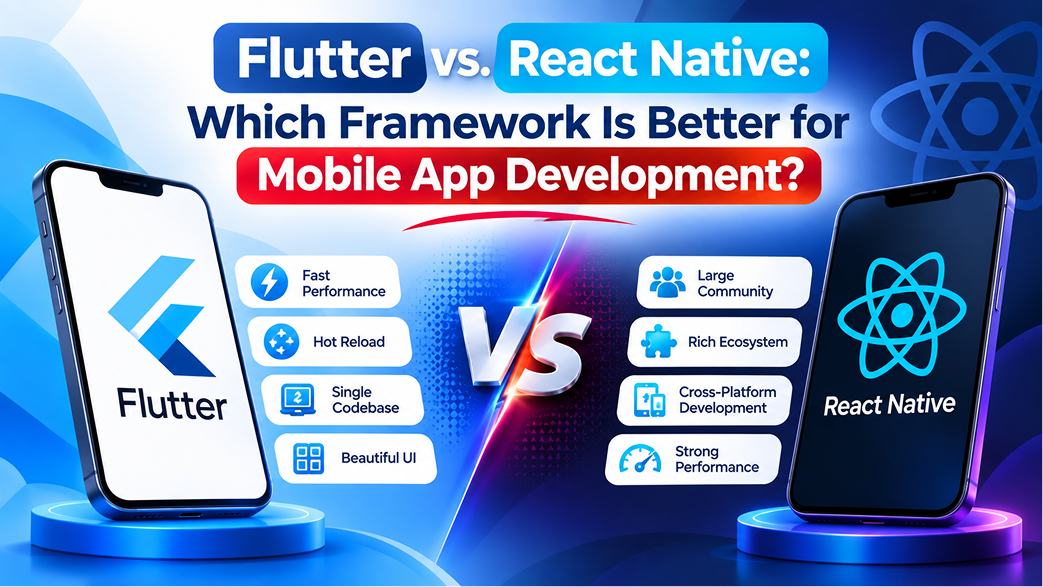
Short answer: Choose Flutter for highly custom, brand-heavy interfaces that must look identical on Android and iOS, or when you also want web and desktop from one codebase. Choose React Native when your team already uses React or TypeScript, or when you want to share code with a React web app. In 2026 both are mature and fast (React Native New Architecture, Flutter Impeller), so team skills, UI style and integrations should decide.
The short answer: choose Flutter when your app needs a highly custom, brand-heavy interface that looks identical on Android and iOS, or when you also want web and desktop from the same code. Choose React Native when your team already works in React or TypeScript, when you want to share logic with an existing React web app, or when the app should feel like a standard native Android or iOS app. Both are mature, both power large production apps, and for most business apps the team behind the code matters more than the framework.
Building two separate native apps doubles much of the development and maintenance effort. Cross-platform frameworks let one team ship both from a shared codebase, which is why most startups and growing businesses now start there.
Flutter and React Native are two widely used frameworks for cross-platform mobile app development. Both help businesses build applications for Android and iOS, but they differ in programming languages, user interface rendering, development tools, ecosystem, and technical approach.
Below we compare Flutter and React Native as they stand in 2026: language, UI, performance, tooling, hiring and cost, followed by a simple checklist to make the decision for your own app.
What Is Cross-Platform Mobile App Development?
Cross-platform mobile app development is an approach in which developers build an application that can run on multiple operating systems, commonly Android and iOS, using a shared codebase.
Instead of maintaining completely separate application projects for each platform, development teams can reuse a significant portion of the code and business logic. This can simplify development and maintenance, although some platform-specific implementation may still be required.
Cross-platform development is useful for businesses that want to reach users on different devices while managing development resources efficiently.
What Is React Native?
React Native is an open-source mobile application framework introduced by Meta. It uses JavaScript or TypeScript with React concepts to build applications for Android and iOS.
React Native allows developers to create reusable components and connect application logic with native platform capabilities. Its ecosystem includes libraries and tools that help teams implement navigation, device features, networking, and other common mobile application requirements.
Advantages of React Native
- Native user interface components: React Native uses native platform views for many interface elements, helping applications follow familiar Android and iOS interaction patterns.
- JavaScript and TypeScript support: Developers familiar with React and JavaScript can often apply their existing knowledge to mobile development.
- Reusable components: Shared components and business logic can reduce duplicated development work.
- Large ecosystem: The React and JavaScript ecosystem provides a wide range of libraries, packages, and community resources.
- Platform-specific implementation: Developers can use native code when an application requires specific Android or iOS functionality.
- Development flexibility: Teams can use frameworks and tools such as Expo to manage development, testing, builds, and releases.
Limitations of React Native
- Some native device features may require additional configuration or native modules.
- Third-party libraries need to be evaluated for compatibility, maintenance, and reliability.
- Complex interfaces may require platform-specific adjustments to deliver the intended experience.
- Developers need to understand both React Native and the underlying mobile platform when troubleshooting deeper native issues.
What Is Flutter?
Flutter is an open-source UI toolkit developed by Google. It uses the Dart programming language and provides a collection of widgets and development tools for creating applications across multiple platforms.
Flutter has its own rendering approach, allowing developers to build highly customised interfaces with consistent visual behaviour across supported devices. It also supports application development beyond mobile, including web and desktop targets.
Advantages of Flutter
- Customisable user interface: Flutter provides a rich widget system that allows developers to create customised layouts, controls, and visual elements.
- Consistent appearance: Its rendering approach gives developers greater control over how an interface looks across different platforms.
- Hot reload: Developers can quickly view many code changes during development without restarting the entire application.
- Integrated development tools: Flutter provides an official SDK, testing tools, and debugging support.
- Multi-platform development: Flutter supports mobile, web, desktop, and other supported deployment targets from a shared codebase.
- Strong UI capabilities: Its widget-based approach is useful for custom designs, animations, and branded application experiences.
Limitations of Flutter
- Developers need to work with Dart, which may require a learning period for teams that primarily use JavaScript or other languages.
- Some platform-specific features may require native code or additional plugins.
- Applications may need additional attention to package size and resource usage, depending on their implementation.
- Teams should evaluate plugin quality and compatibility before depending on third-party packages for important features.
Flutter vs React Native: Key Differences
Both frameworks support cross-platform development, but their underlying approaches differ. The following comparison highlights the main factors businesses should consider.
| Comparison Factor | Flutter | React Native |
|---|---|---|
| Developed by | Meta | |
| Programming language | Dart | JavaScript or TypeScript |
| UI approach | Uses its own widget and rendering system | Uses native platform views for interface components |
| Code reuse | Shared codebase across supported platforms | Shared codebase with platform-specific code when needed |
| Customisation | Strong control over custom interface design | Flexible UI using React components and native views |
| Development tools | Flutter SDK and DevTools | React Native tools and commonly Expo |
| Developer ecosystem | Dart and Flutter ecosystem | JavaScript, TypeScript, and React ecosystem |
| Native integrations | Plugins and platform-specific code | Native modules and platform-specific code |
| Additional platforms | Mobile, web, desktop, and supported embedded targets | Primarily mobile, with additional targets through the wider ecosystem |
What Has Changed: Flutter and React Native in 2026
Many comparisons online are based on how these frameworks worked several years ago. Both have changed in ways that remove the old arguments.
- React Native's New Architecture is now the default. The old asynchronous "bridge" between JavaScript and native code has been replaced by JSI, the Fabric renderer and TurboModules, enabled by default since React Native 0.76. Hermes is the default JavaScript engine, and the official documentation recommends starting new apps with a framework such as Expo. The "React Native is slow because of the bridge" argument no longer applies to new projects.
- Flutter now renders with Impeller. Flutter's newer rendering engine, Impeller, is the default on iOS and on modern Android devices. It was built to remove the first-run animation stutter (shader compilation jank) that early Flutter apps were criticised for. Dart 3 brings sound null safety, and Flutter web can compile to WebAssembly.
- Both are backed for the long term. React Native is used and maintained by Meta and a large community. Flutter is maintained by Google and used across its own products. Neither is a risky choice in 2026.
The practical result: the decision is less about raw speed and more about your interface style, your team's skills and the integrations your app depends on.
Flutter vs React Native: Detailed Comparison
1. Programming Language
One of the first differences between Flutter and React Native is the programming language used to build applications.
Flutter uses Dart. Dart is an object-oriented programming language developed by Google. It is designed to support application development with features such as strong typing, asynchronous programming, and compilation for different deployment targets.
React Native uses JavaScript or TypeScript. JavaScript is widely used in web development, while TypeScript adds static typing and additional development-time checks. Developers who already work with React may find it easier to transfer their existing skills to React Native.
Which is better? React Native may be a practical option for teams with established JavaScript or React experience. Flutter can be a good choice when the team is comfortable adopting Dart and wants to work within Flutter's integrated development environment.
2. User Interface and Design
User interface design plays an important role in how people interact with a mobile application. Both frameworks offer tools for building responsive and engaging interfaces, but they approach rendering differently.
Flutter uses its own widget and rendering system. This gives developers considerable control over the appearance and behaviour of interface elements, making it suitable for applications that require a consistent, highly customised visual design.
React Native uses native platform views for many interface components. This can help applications follow familiar platform conventions and provide an experience that feels natural to Android and iOS users.
Which is better? Flutter may be suitable when the same customised interface needs to look consistent across platforms. React Native may be suitable when the application should closely follow native platform interface patterns.
3. Application Performance
Performance affects application responsiveness, screen transitions, animations, loading behaviour, and overall user experience.
Flutter compiles Dart code for supported native targets and uses its rendering engine to draw the interface. Its approach can provide predictable rendering behaviour, especially for custom interfaces and animation-heavy screens.
React Native connects JavaScript or TypeScript application logic with native platform components. Its newer architecture has improved communication and rendering capabilities, making it suitable for a wide range of production applications.
However, it is not accurate to declare one framework universally faster than the other. Actual performance depends on application architecture, rendering workload, device capabilities, third-party dependencies, API response times, and code quality.
Which is better? Both can deliver good performance for many business applications when implemented properly. Performance-sensitive projects should be tested using realistic workloads and target devices before selecting a framework.
4. Development Speed and Tools
Development speed depends on the team's experience, project complexity, available libraries, testing process, and development workflow.
Flutter offers hot reload, a structured widget system, and an integrated set of development tools. These capabilities can help developers build and refine interfaces efficiently.
React Native also supports fast development workflows. Teams can use React development knowledge, reusable components, and tools such as Expo to manage application builds and development tasks.
Which is better? The better choice depends on the team's existing skills and project setup. A team already experienced in React may move faster with React Native, while a team experienced in Flutter may benefit from its integrated tooling.
5. Developer Support and Ecosystem
Framework documentation, community activity, third-party libraries, and technical support can influence how easily a development team solves problems and maintains an application.
Flutter provides official documentation, development tools, packages, and community resources. Its ecosystem supports common application requirements, although individual packages should be evaluated before implementation.
React Native benefits from the broader JavaScript and React ecosystem, along with community libraries and platform-specific integrations. The availability of packages can be useful, but teams must consider package maintenance and compatibility.
Which is better? Both have established ecosystems. The right choice depends on the libraries, device integrations, and technical capabilities required by the project.
6. Adoption and Industry Use
Both Flutter and React Native are used in real-world applications. Their adoption reflects the growing demand for cross-platform mobile development.
React Native benefits from the established React and JavaScript developer community. Flutter has gained adoption among teams that value its widget-based development model and multi-platform capabilities.
Businesses should not select a framework only because a popular application uses it. The technology should be evaluated against the specific requirements, integrations, and maintenance needs of the proposed product.
7. Stability and Long-Term Maintenance
Long-term maintenance involves more than choosing a stable framework. Application architecture, dependency management, testing, release processes, security updates, and developer expertise all influence maintainability.
Flutter provides a coordinated SDK and development toolchain. React Native offers flexibility through its ecosystem and development tools, but project dependencies may require careful version and compatibility management.
Both frameworks continue to evolve. Businesses should plan for regular updates, testing, and maintenance regardless of the selected approach.
When Should You Choose Flutter?
Flutter may be a suitable choice when the application has requirements such as:
- A highly customised interface that should look consistent across Android and iOS.
- Complex animations, transitions, and branded visual components.
- A shared development approach for mobile and other supported platforms.
- A team that is comfortable with Dart or willing to adopt it.
- A product that benefits from Flutter's widget-based UI architecture.
Examples may include visually rich customer applications, interactive dashboards, booking applications, and products with highly customised user journeys.
When Should You Choose React Native?
React Native may be a suitable choice when the application has requirements such as:
- An existing development team with JavaScript, TypeScript, or React experience.
- A mobile application connected to an existing React-based web product.
- Reusable business logic and shared development practices across web and mobile.
- An interface that should use familiar native platform components.
- Libraries or integrations available within the React Native ecosystem.
Examples may include business applications, customer portals, eCommerce apps, booking systems, and applications that extend an existing web platform.
What About Native Mobile App Development?
Flutter and React Native are cross-platform approaches, but they are not the only options available. Businesses can also develop separate native applications for Android and iOS.
Native Android applications are commonly developed using Kotlin, while native iOS applications are commonly developed using Swift. This approach provides direct access to platform-specific APIs and tools.
Native development may be appropriate when an application depends heavily on specialised device capabilities, advanced platform integrations, or platform-specific performance requirements.
However, maintaining separate native applications can require additional development resources and coordination. The decision should be based on the product's technical requirements rather than assuming that one approach is always better.
Hiring, Team and Cost: The Factor Most Comparisons Skip
For a business, the framework is a staffing decision as much as a technical one. A few points that usually settle it:
- Existing web team in React? React Native lets the same people, code style and some business logic move to mobile. This is often the cheapest path.
- Starting fresh with a design-led product? Flutter's widget system makes pixel-perfect custom designs faster to build and easier to keep consistent across platforms.
- Talent availability: both have large developer communities in India, so hiring is realistic either way. Hire for real shipped apps in your chosen framework, not just general mobile experience.
- Cost is driven by scope, not framework: the number of screens, roles, integrations (payments, maps, chat, video) and backend work decides the budget. Either framework saves a large share of the effort of building two native apps.
If you need to scale a team quickly, you can hire dedicated Flutter developers or hire React Native developers who work as part of your team, on a monthly basis, without the hiring overhead.
How to Choose the Right Framework for Your Business App
Before selecting Flutter or React Native, evaluate the project from both business and technical perspectives.
1. Define the Application Requirements
List the main features, target users, supported platforms, expected usage, and device capabilities required by the application. Identify whether the product needs custom animations, location services, camera access, offline functionality, payment integrations, or background processing.
2. Understand Your Development Team
Evaluate the team's experience with Dart, JavaScript, TypeScript, React, and native mobile development. Existing expertise can influence development time, hiring needs, and future maintenance.
3. Evaluate Third-Party Integrations
Check whether the required payment gateways, analytics tools, maps, authentication services, hardware integrations, and other dependencies support the chosen framework.
4. Consider User Experience
Decide whether the application requires a highly customised interface or a design that follows native Android and iOS conventions. Create prototypes and test the experience on actual devices before finalising the approach.
5. Plan for Maintenance and Growth
Consider future feature updates, operating system changes, security requirements, scalability, and long-term developer availability. A framework should support the product beyond its first release.
6. Test Before Making the Final Decision
For projects where the framework choice is uncertain, build a small proof of concept around the most technically challenging feature. Compare responsiveness, integration complexity, development effort, and maintainability before proceeding.
Conclusion
Flutter and React Native both offer practical approaches to cross-platform mobile app development. Flutter provides a widget-based development model and strong control over customised interfaces, while React Native benefits from JavaScript and React experience, native platform views, and a broad development ecosystem.
Our rule of thumb after building apps with both: if design is the product, lean towards Flutter; if your company already lives in React, lean towards React Native; if you are unsure, build a two-week proof of concept around the hardest feature and let the results decide. For a first release, keep the scope tight with an MVP so you learn from real users before investing further.
At Vriksha Tech, we help businesses plan and build custom mobile applications based on their goals and technical requirements. Our mobile app development services cover Flutter, React Native and native development, UI/UX design, backend and API integrations, testing, app store release and post-launch support.
Not sure which framework fits your app? Share your app idea and key features, and our developers will recommend Flutter, React Native or native, with the reasons and a phased build plan.
Frequently Asked Questions
Which is better, Flutter or React Native?
Neither is universally better. Flutter may suit applications requiring highly customised and consistent interfaces, while React Native may suit teams with JavaScript or React experience. The right choice depends on project requirements, integrations, and team expertise.
Can Flutter and React Native build both Android and iOS applications?
Yes. Both frameworks support building Android and iOS applications from a shared codebase, although some platform-specific code and testing may still be required.
Is Flutter faster than React Native?
Performance depends on the application, implementation, device, and workload. Both frameworks can deliver good performance for many business applications. Testing the actual application requirements is more useful than relying on a general framework ranking.
Which framework is easier for beginners?
Developers familiar with JavaScript or React may find React Native easier to start with. Developers interested in Dart and Flutter's widget-based approach may prefer Flutter. The learning curve depends on prior programming experience.
Can Flutter or React Native integrate with APIs?
Yes. Both frameworks can connect with backend services and third-party APIs for authentication, payments, notifications, databases, maps, and other application functionality.
Is cross-platform development cheaper than native app development?
Cross-platform development can reduce duplicated development effort by sharing code across Android and iOS. However, the final cost depends on features, integrations, platform-specific work, testing, and maintenance requirements.
Can an existing native mobile app be converted to Flutter or React Native?
Migration may be possible, but it requires an assessment of the existing application architecture, native dependencies, integrations, and data handling. Some components may need to be rebuilt or retained as native modules.
How do I choose between Flutter, React Native, and native development?
Compare the application's design, performance requirements, device integrations, development team expertise, and maintenance plans. Cross-platform frameworks suit many business applications, while native development may be preferable for specialised platform-dependent requirements.
Ready to Build Your Next Digital Product?
Our experts will respond within 24 hours with a tailored approach for your project.