How to Build an Online Meal Kit Delivery Platform
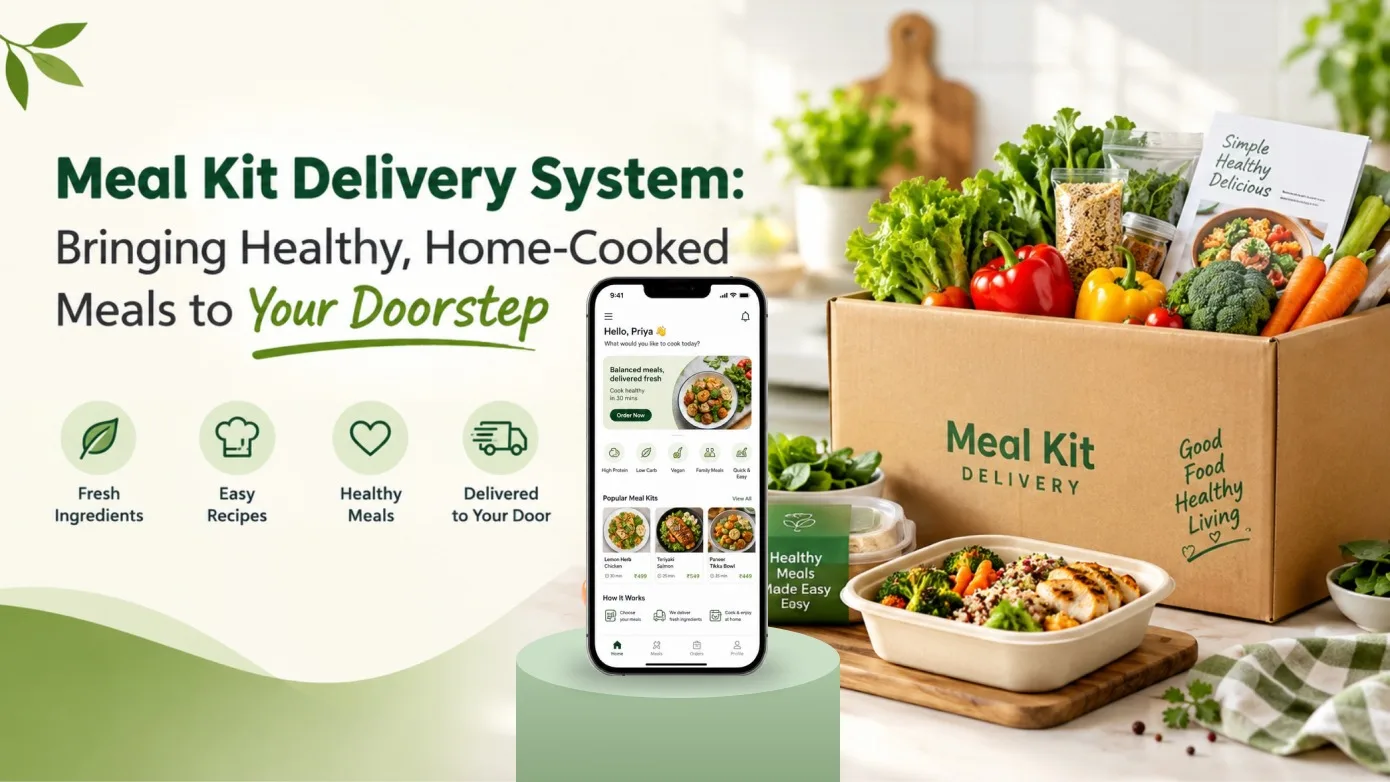
Planning meals at home can take time, especially when people need to find ingredients, decide what to cook, and follow a recipe. An online meal kit delivery platform can simplify this process by allowing customers to order kits containing the ingredients needed to prepare meals, along with recipes to guide them.
Businesses can also offer ready-made meals through an online platform, giving customers the option to purchase prepared food instead of cooking it themselves. With features for meal discovery, delivery scheduling, customer accounts, chef management, and order administration, a meal delivery website can bring these services together in one digital experience.
Before starting development, it is important to define the business model, customer journey, delivery operations, and administrative requirements. These decisions help determine which features the platform needs at launch.
What Is an Online Meal Kit Delivery Platform?
An online meal kit delivery platform allows customers to browse meal kits, select products, schedule delivery, and complete their orders through a website. A meal kit typically contains the ingredients required to cook a meal along with a recipe.
A platform may also support ready meals prepared by chefs. In this model, chefs can list meals for sale while customers browse the available options and place orders.
These two business models can operate differently:
- Meal kit delivery: A single-vendor model in which the administrator manages the products and deliveries.
- Ready meal marketplace: A multi-vendor model in which chefs can list their prepared meals for customers to purchase.
Choosing the right model helps establish how products are managed, who handles delivery, and which users need access to the platform.
Key Features of a Meal Kit Delivery Website
Meal Kits and Ready Meal Listings
Customers need an easy way to discover the meals and meal kits available on the platform. The website can provide dedicated sections for ready meals and meal kits, with product details that help customers understand what they are ordering.
Depending on the business model, the platform can support:
- Ready meal listings
- Meal kit listings
- Meal catalogue management
- Cuisine and meal type categorization
- Recipe ingredients and recipe benefits
- Meal add-ons
- Favorite meals and meal kits
For example, a meal kit listing could present the ingredients and recipe associated with a particular dish. A ready meal listing could help customers browse prepared food offered by participating chefs.
Customer Registration and Account Management
A customer account allows users to manage their personal information, delivery addresses, orders, and other marketplace activities.
Useful account features can include:
- Email-based login and registration
- Password recovery and remember-me functionality
- Supported social login options
- Customer profile viewing and editing
- Dashboard showing recent orders and wallet balance
- Saved delivery addresses for locations such as home and office
- Favorite meals and meal kits
Giving customers a centralized dashboard makes it easier to review account information and return to their preferred meals.
Meal Ordering and Delivery Scheduling
Ordering and delivery scheduling are central to a meal delivery platform. Customers should be able to browse meals, select products, choose a delivery date and time, provide a shipping address, and make payment.
The customer ordering workflow can include:
- Browsing and selecting meals or meal kits
- Selecting a delivery date and time
- Entering or selecting a delivery address
- Completing payment
- Requesting order cancellation where supported
- Managing eligible returns
The platform should also provide appropriate order information so customers can understand the status of their purchases. Cancellation and return policies should be defined clearly before the website launches.
Chef Registration and Meal Management
For a ready meal marketplace, chefs are an important part of the platform. A chef may be someone who enjoys cooking and wants to offer prepared meals for sale; the role does not necessarily require formal professional chef training.
A chef dashboard can provide tools for managing their profile, meals, orders, and customer reviews.
Key features can include:
- Chef registration and login
- Chef profile management
- Adding and editing meals
- Viewing recent orders
- Changing meal order statuses
- Handling order cancellations
- Viewing reviews
- Adding meal add-ons and associating them with meals
These features help chefs maintain their listings and manage supported order activities through the website.
Delivery Areas, Operating Times, and Charges
Food delivery businesses need to define where and when orders can be fulfilled. The platform can provide settings for chef operating times, delivery exclusions, delivery areas, area requests, and delivery charges.
Administrative location management can cover countries, states, cities, and localities. Administrators can also manage delivery areas and charges and review requests related to supported areas.
Clear delivery rules help customers understand whether their location is served and help the business organize its delivery operations.
Gift Cards and Promotional Discounts
Promotions can help meal delivery businesses attract customers and encourage repeat purchases. Gift cards and coupon discounts provide additional ways for customers to purchase or redeem value through the platform.
Possible features include:
- Purchasing gift cards
- Entering gift card details and the recipient's email
- Adding a personal note
- Scheduling electronic gift card delivery
- Redeeming gift cards
- Applying coupon codes at checkout
- Managing coupons and gift cards through the admin panel
These features can support gifting and promotional campaigns, while administrators retain control over the available gift cards and coupons.
Customer Wallet and Transaction History
A wallet can help customers review their account's financial activity within the platform. The wallet feature described in the scope includes debit and credit transaction records, with eligible refund and return credits added to the wallet balance.
Customers can also submit a withdrawal request for administrator approval, after which the approved amount can be transferred to the requested bank account.
The business should define the applicable wallet rules, withdrawal approval process, and refund policies before implementing this functionality.
Customer Reviews and Testimonials
Customer feedback can help a meal delivery business understand user experiences and present testimonials on its website.
The platform can support customers submitting reviews for chefs and sending testimonials through a contact form. Submitted testimonials can then be reviewed and uploaded by an administrator through the back end.
Review and testimonial management helps the business organize feedback and decide which testimonials should appear on public pages.
Meal Sharing and Customer Communication
Social sharing can help customers share meals and meal kits with others. The feature scope also includes a contact form through which customer messages are delivered to the administrator by email.
Depending on the implemented integrations, social sharing and communication tools can help customers share product information and contact the business when they need assistance.
Admin Dashboard for Meal Delivery Management
A meal delivery website needs administrative tools to manage its catalogue, users, orders, delivery areas, payments, and website content. A centralized dashboard gives the business control over these operational activities.
Important admin capabilities can include:
- Meal catalogue: Manage meals, meal kits, comments, cuisines, meal types, recipe ingredients, and recipe benefits.
- User management: Manage customers and chefs.
- Order management: Review and manage customer orders.
- Withdrawal requests: Review customer wallet withdrawal requests.
- Coupons and gift cards: Manage available promotional offers and gift cards.
- Referral management: Manage referral sign-ups and referral rules.
- Content management: Manage website pages and content blocks.
- Location management: Manage countries, states, cities, localities, and delivery areas.
- Reports: Review reports related to users, sales, commissions, and coupons.
- Blog management: Manage blog categories, posts, and comments.
- Administrative access: Create admin sub-users and configure their permissions.
- System settings: Manage email templates, payment gateway details, and referral rules.
For the meal kit model, the administrator also manages the products and deliveries. In the ready meal marketplace model, chef account and meal management workflows support the multi-vendor business structure.
Email Notifications and Order Updates
Email notifications can keep customers, chefs, and administrators informed about important activities across the platform.
Supported notification workflows can include:
- New customer registration
- Customer verification
- New chef registration
- Chef verification and approval
- Order and payment status changes
- Order invoices sent to customers
- New blog comments
- New testimonials
- Gift card purchases and recipient notifications
Well-planned notifications help users receive relevant updates without needing to check the website repeatedly. The exact messages and recipients should be configured according to each workflow.
Payment Gateway Integration
An online meal delivery platform needs a payment process that supports customers completing their orders. Payment gateway integration should be planned as part of the checkout and order management workflows.
The referenced feature scope specifies a single payment gateway integration using PayPal, with the payment gateway API supplied by the client. If a different gateway is required, the integration requirements and associated costs should be confirmed separately.
Businesses should confirm the chosen payment provider, required API access, transaction handling, and refund process before development begins.
How to Plan Your Meal Delivery Website
Choose the Right Business Model
Decide whether the business will operate a single-vendor meal kit service, a multi-vendor ready meal marketplace, or a combination of both. This decision affects product management, chef access, delivery responsibilities, and administrative workflows.
Define the Product Catalogue
Plan how meals and meal kits will be categorized and displayed. Determine which recipe information, ingredients, cuisine types, meal types, and add-ons customers need to see before placing an order.
Map the Customer Journey
Document the steps from browsing meals to selecting delivery details, entering an address, making payment, and managing an order. Include cancellation, return, gift card, and wallet workflows where required.
Plan Delivery Operations
Define delivery areas, operating times, excluded locations, delivery charges, and area request procedures. For a multi-vendor ready meal marketplace, establish how chefs manage their supported delivery settings.
Establish Administrative Responsibilities
Determine who manages the catalogue, approves chef accounts, handles orders and withdrawal requests, maintains website content, and reviews reports. Configure administrative permissions according to these responsibilities.
Confirm Integrations and Project Scope
Identify the payment gateway and any other required third-party services. Confirm which features are included in the development scope, which depend on external services, and which require separate implementation.
Benefits of an Online Meal Kit Delivery Platform
- Convenient meal discovery: Customers can browse ready meals and meal kits in one place.
- Structured ordering: Delivery dates, times, addresses, and payments can be managed through a defined workflow.
- Support for different business models: The platform can distinguish between admin-managed meal kits and chef-listed ready meals.
- Flexible customer accounts: Profiles, saved addresses, favorites, and order information are available through customer dashboards.
- Promotional opportunities: Gift cards and coupon discounts can support customer offers.
- Organized chef operations: Chef profiles, meal listings, orders, and delivery settings can be managed through dedicated tools.
- Centralized administration: Catalogue management, user controls, reports, content, and location settings can be maintained from the admin dashboard.
- Customer feedback: Reviews and testimonials provide structured ways to collect and manage feedback.
Conclusion
An online meal kit delivery website can help businesses bring meal discovery, ingredient kits, ready meals, customer ordering, delivery scheduling, and administration into one digital platform.
The right solution depends on whether the business operates a single-vendor meal kit service or a multi-vendor ready meal marketplace. Defining the business model, catalogue structure, delivery rules, payment process, and user responsibilities early can help establish a clearer development roadmap.
At Vriksha Tech, we help businesses plan and develop digital platforms around their operational requirements. If you are planning a meal delivery website, start by identifying your target customers, meal offerings, delivery model, and essential features.
Frequently Asked Questions
What is an online meal kit delivery platform?
It is a website where customers can order meal kits containing the ingredients needed to cook a meal along with a recipe. The platform can also support ready meals, depending on the business model.
What is the difference between a meal kit service and a ready meal marketplace?
In the described model, the meal kit service is single-vendor and managed by the administrator, including product and delivery management. The ready meal marketplace is multi-vendor, allowing chefs to list prepared meals for sale.
What features should a meal delivery website include?
Common features include meal listings, customer registration, delivery date and time selection, address management, payments, order management, chef tools where applicable, and an admin dashboard.
Can chefs list their own meals on the platform?
Yes. In a ready meal marketplace model, chefs can register, manage their profiles, add or edit meals, manage meal add-ons, and view or update supported order statuses.
Can customers schedule meal deliveries?
The described customer ordering workflow includes selecting a delivery date and time, entering a shipping address, making payment, and managing supported cancellation and return requests.
Can the platform support gift cards and discount coupons?
Yes. The feature scope includes gift card purchases, recipient details, personal notes, scheduled electronic delivery, gift card redemption, and coupons applied during checkout.
How does the customer wallet work?
The wallet can display debit and credit transactions. Eligible refunds and return credits can be added to the wallet balance, and customers can submit withdrawal requests for administrator approval.
What can administrators manage from the dashboard?
Administrators can manage meals, meal kits, users, chefs, orders, coupons, gift cards, referrals, delivery areas, reports, blog content, payment settings, and administrative permissions.
Can a meal delivery website send order notifications?
Yes. The specified email workflows include order and payment status updates, invoices, account verification, chef approval, gift card purchases, and other supported user activities.
Which payment gateway can be integrated?
The referenced scope specifies PayPal as the included payment gateway integration. Other gateway requirements should be confirmed separately, including API access, implementation scope, and cost.
What should businesses decide before developing a meal delivery website?
Businesses should define their vendor model, meal catalogue, customer ordering journey, delivery areas and charges, payment process, administrative responsibilities, and required third-party integrations.
Ready to Build Your Next Digital Product?
Our experts will respond within 24 hours with a tailored approach for your project.