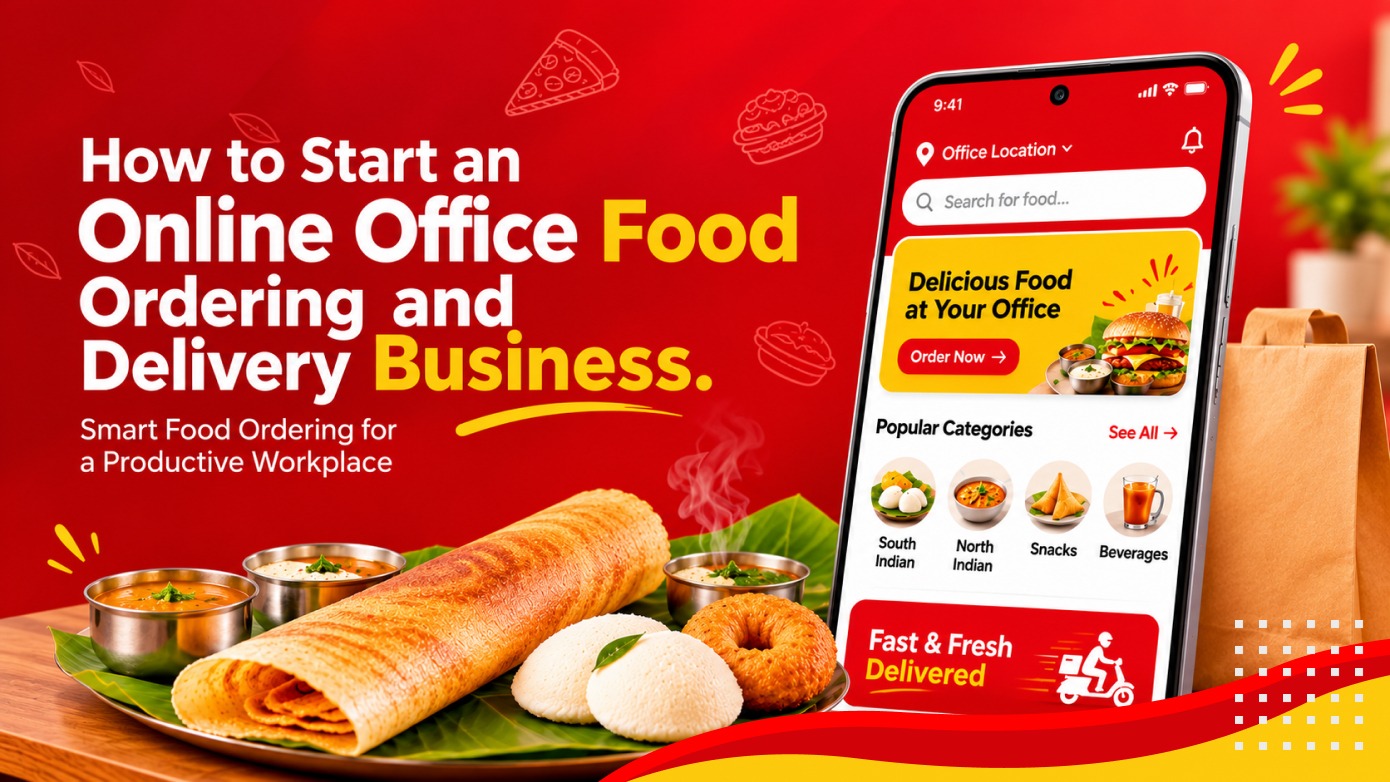
Short answer: an office food ordering business takes meal orders from employees before a daily cut-off time, buys from partner restaurants or kitchens, and delivers everything for one office in a single scheduled drop. That batching is the whole advantage: one rider trip can carry dozens of meals, so delivery cost per meal is far lower than on-demand apps. Start with a few office buildings, two or three reliable kitchens and corporate billing, then expand.
This creates an opportunity for businesses to introduce dedicated online office food ordering and delivery services. Instead of serving individual customers across different locations, an office-focused food delivery platform can connect employees with nearby restaurants and coordinate multiple orders for delivery to workplaces at scheduled times.
Through a website or mobile application, employees can view available meals, select their preferred dishes, place orders, and make payments. Restaurants receive the orders, prepare the food, and the delivery team coordinates the collection and distribution of meals to the respective offices.
For entrepreneurs and startups, this business model offers an opportunity to build a specialised food ordering platform around workplace requirements. However, success depends on choosing the right business model, partnering with restaurants, managing delivery operations, and developing a user-friendly digital platform.
This guide is for founders, cloud kitchens and caterers who want to serve offices. It covers business models, revenue, the website, app and admin features you need, why batched delivery and corporate billing decide profitability, and a step-by-step launch plan.
1. What Is an Online Office Food Ordering and Delivery Business?
An online office food ordering and delivery business is a digital platform that allows employees to order meals from participating restaurants and receive them at their workplace.
Unlike general food delivery services that primarily handle individual orders across different locations, an office-focused platform can organise orders around workplace locations and specific meal schedules.
For example, a company may have 100 employees working in the same office building. Instead of each employee independently arranging lunch, they can use the platform to browse available meals and place individual orders. The platform collects the orders, forwards them to the associated restaurants, and coordinates delivery to the office at an agreed time.
The business can work with multiple restaurants, food outlets, and catering providers to offer different meal choices to employees.
2. How Does an Online Office Food Delivery Business Work?
The business model connects three main groups: customers, food providers, and the platform operator. A delivery team coordinates the movement of prepared meals from restaurants to office locations.
The general workflow can operate as follows:
- User registration: Employees or office representatives register on the website or mobile application by providing their contact information and workplace details.
- Meal notifications: Users receive notifications about available breakfast, lunch, or dinner options according to the platform's meal schedule.
- Meal selection: Employees browse the available menu and select their preferred food items.
- Order placement: Users confirm their meal selections, delivery location, and payment method.
- Restaurant confirmation: The platform forwards orders to the associated restaurant or food provider for preparation.
- Order collection: The delivery team collects prepared meals from the restaurant or restaurants.
- Office delivery: Orders are grouped and delivered to the respective workplace at the scheduled time.
- Order completion: Users receive delivery updates and can provide ratings or feedback about their experience.
This scheduled approach can help coordinate multiple orders for the same workplace and reduce the need to handle every meal as a separate delivery trip.
3. Business Opportunities in Office Food Ordering and Delivery
Workplaces provide a clearly identifiable customer segment for food ordering businesses. Employees often need convenient meal options during working hours, while companies may prefer organised food arrangements for their teams.
A dedicated platform can serve different types of customers and workplace requirements.
3.1 Corporate Office Lunch Delivery
Office lunch delivery is one of the main opportunities for this business model. Employees can select meals from a daily menu and receive their orders at the workplace during lunch breaks.
Businesses can partner with nearby restaurants and food providers to offer different cuisines and meal options.
3.2 Breakfast Ordering for Employees
Employees arriving early at work may need convenient breakfast options. A platform can provide a separate breakfast menu with scheduled ordering and delivery slots.
3.3 Group Meal Ordering
Teams and departments may want to place multiple meal orders together. Group ordering features can help employees coordinate their choices while simplifying the overall delivery process.
3.4 Corporate Catering and Bulk Orders
Companies frequently arrange meals for meetings, training programmes, internal events, and employee gatherings. A platform can provide a separate ordering workflow for bulk meals and scheduled corporate requirements.
3.5 Recurring Meal Plans
Some employees may prefer to order meals regularly rather than selecting food every day. The platform can offer recurring meal arrangements or prepaid plans based on the business requirements.
These opportunities allow the business to serve both individual employees and organisations with recurring food requirements.
4. Business Models for an Online Office Food Delivery Platform
Before developing the platform, entrepreneurs should decide how the business will operate. The selected model affects restaurant partnerships, delivery operations, platform features, and revenue generation.
4.1 Multi-Restaurant Marketplace Model
In this model, the platform partners with multiple restaurants and food providers. Employees can browse available menus from different providers and place orders through a single application.
The platform manages restaurant onboarding, order collection, payments, and delivery coordination. Revenue can be generated through commissions, delivery charges, or other commercial arrangements.
4.2 Single Food Provider Model
In this model, the business works with one restaurant, catering provider, or kitchen that prepares meals for participating offices.
The platform mainly manages menu publishing, employee orders, payment collection, and delivery scheduling.
4.3 Corporate Meal Subscription Model
Companies or employees can subscribe to meal plans based on daily, weekly, or monthly requirements.
This model can be useful for organisations that want to arrange regular meals for their employees. The platform can manage subscription details, meal preferences, payment records, and delivery schedules.
4.4 Hybrid Office Food Delivery Model
A hybrid model combines restaurant marketplace ordering with corporate meal arrangements. Employees can place individual orders, while companies can also arrange group meals or recurring food plans.
This approach provides flexibility for businesses that want to serve different workplace requirements through a single platform.
5. Revenue Opportunities in Office Food Ordering and Delivery
A food delivery platform should consider multiple revenue sources to support its operations. Revenue depends on the selected business model, restaurant agreements, order volume, delivery expenses, and customer pricing.
The following are possible income sources.
5.1 Restaurant Commission
The platform can charge participating restaurants a pre-agreed commission on completed orders. Commission rates may depend on the commercial agreement, order volume, and services provided by the platform.
5.2 Delivery Charges
Customers or organisations may pay delivery charges based on the delivery arrangement. Scheduled deliveries to the same office may help the business organise multiple orders within a single delivery route.
5.3 Corporate Subscription Plans
Companies can be offered subscription packages for managing recurring employee meal orders. Depending on the arrangement, the subscription may include ordering management, consolidated billing, or other corporate features.
5.4 Promotional and Advertising Revenue
Restaurants and food providers may pay for promotional visibility within the platform. Sponsored meal placements, promotional banners, and featured restaurant listings can provide additional revenue opportunities.
5.5 Restaurant Partnership Fees
The platform may introduce commercial partnership plans for restaurants or food providers that want to participate in the service. The terms should be clearly defined according to the services and benefits provided.
5.6 Corporate Bulk Ordering Services
Companies may require food for meetings, events, training sessions, or special occasions. The platform can offer dedicated bulk-order management services with suitable commercial pricing.
Combining appropriate revenue streams can help the business reduce its dependence on a single source of income. However, delivery costs, restaurant payments, packaging expenses, customer support, and platform maintenance must also be considered.
6. Essential Features of an Online Office Food Ordering Website
The website is an important entry point for employees, corporate customers, and restaurant partners. It should clearly explain how the service works and make it easy for users to browse meals and place orders.
6.1 Homepage and Service Overview
The homepage should introduce the office food delivery service and explain its benefits to employees and organisations.
Important elements may include:
- A clear introduction to the service.
- Prominent registration and ordering options.
- Available meal categories.
- Information about delivery locations.
- How the ordering and delivery process works.
- Restaurant and food provider information.
- Customer reviews and testimonials.
- Contact and support details.
6.2 Daily Meal Section
The meal section should display the available breakfast, lunch, and dinner options. Each listing can include food images, item descriptions, pricing, restaurant details, and availability information.
The platform can also display upcoming meal options so employees can plan and place orders in advance.
6.3 Office Location Management
Users should be able to select or save their workplace location. The platform can use location-based filtering to display participating restaurants and meal options available for that delivery area.
6.4 Restaurant and Food Search
Search and filtering options allow users to find restaurants, food categories, and specific dishes. This becomes particularly useful when the platform has multiple food providers and a large menu.
6.5 Registration and Account Management
The website should provide a simple registration process for employees and corporate customers. Users can enter their name, contact information, workplace address, and other necessary details.
6.6 Order Management
Customers should be able to view their current orders, check order status, review previous purchases, and manage eligible cancellations.
6.7 Payment Integration
The website should support suitable payment methods based on the target market. These may include online payments, cards, digital wallets, or other supported payment options.
6.8 Customer Reviews and Ratings
Customers should be able to provide feedback about meals, restaurants, and delivery experiences. Reviews can help other employees make informed food choices and help the platform monitor service quality.
6.9 Help Centre and FAQs
A dedicated support section should explain how the platform works and address common questions related to ordering, payments, cancellations, refunds, and delivery issues.
7. Essential Features of the Mobile Application
A mobile application can make the office food ordering experience more convenient by allowing employees to browse meals, place orders, and receive updates directly from their smartphones.
7.1 Easy Registration and Login
Users should be able to register using supported email or mobile authentication methods. The registration process should collect only the information necessary to create and manage an account.
7.2 User Profile and Office Details
Employees can manage their personal information, saved office locations, contact details, and preferred payment methods.
For organisations with multiple branches, users may be able to select the relevant office location associated with their account.
7.3 Meal of the Day
The application should highlight the available meals for the current day. Separate categories can be provided for breakfast, lunch, and dinner.
Displaying upcoming meal options can also encourage advance ordering.
7.4 Food Search and Restaurant Discovery
Employees should be able to search for specific dishes, browse restaurants, and explore available food categories. Filters can help narrow results according to cuisine, price, or other relevant preferences.
7.5 Simple Order Placement
The ordering workflow should allow customers to select food items, update quantities, review their order, confirm their delivery location, and complete payment.
Clear order summaries help reduce mistakes before confirmation.
7.6 Multiple Payment Options
Depending on the target market and business arrangement, the application can support online payment gateways, cards, digital wallets, or cash-based payment options where operationally suitable.
7.7 Order Notifications and Tracking
Notifications should inform customers when an order is confirmed, prepared, collected, and delivered.
Where live delivery tracking is supported, customers can also view delivery progress and estimated arrival information.
7.8 Communication and Customer Support
Users should have a convenient way to contact customer support or the delivery team when they need help with an order.
7.9 Ratings and Reviews
After an order is completed, users can rate the meal and provide feedback about the restaurant and delivery experience.
8. Important Modules for Restaurants and Administrators
A complete office food delivery platform requires more than a customer-facing website or mobile application. Restaurants and platform administrators also need tools to manage orders and daily operations.
8.1 Restaurant Management Panel
Restaurant partners should have access to a dashboard where they can manage their participation in the platform.
Key features may include:
- Restaurant registration and profile management.
- Menu and food category management.
- Food images, descriptions, and pricing.
- Daily meal availability and item stock status.
- Incoming order notifications.
- Order acceptance and preparation status.
- Order history and sales reports.
- Commission and payment information.
8.2 Delivery Management
The delivery module helps coordinate order collection and workplace deliveries.
Depending on the operational model, it may include:
- Delivery staff registration and management.
- Order assignment.
- Restaurant pickup information.
- Office delivery addresses.
- Scheduled delivery slots.
- Delivery status updates.
- Delivery confirmation.
- Delivery performance reports.
8.3 Admin Dashboard
The administrator dashboard provides centralised control over the complete platform.
Administrators should be able to manage:
- Customers and employee accounts.
- Corporate office registrations.
- Restaurant and food provider accounts.
- Food categories and menus.
- Orders and payment records.
- Delivery schedules and assignments.
- Commission and subscription settings.
- Promotional content and advertisements.
- Customer feedback and complaints.
- Reports and platform configurations.
9. How to Start an Online Office Food Ordering Business
Once the business model and platform requirements are clear, the next step is to prepare a practical launch plan. The following stages can help entrepreneurs organise the business before investing in full-scale development.
Step 1: Research the Target Market
Identify the offices, business parks, IT companies, commercial buildings, and workplace communities that may require regular meal delivery services.
Study the existing food options, restaurant availability, employee preferences, and meal timings in the selected locations.
Step 2: Choose the Business Model
Decide whether the platform will work as a multi-restaurant marketplace, a single food provider service, a corporate subscription platform, or a hybrid business.
The selected model will determine the restaurant relationships, delivery operations, revenue structure, and software requirements.
Step 3: Partner with Restaurants and Food Providers
Identify restaurants and food providers that can supply meals consistently during the required delivery periods.
Discuss menu availability, food pricing, order preparation time, packaging, delivery collection, commission, and payment settlement terms before onboarding partners.
Step 4: Identify Office Locations and Delivery Areas
Choose the initial delivery locations carefully. Starting with a limited number of office areas can make it easier to coordinate restaurant partnerships and delivery schedules.
Define delivery slots, order cut-off times, minimum order requirements, and workplace handover arrangements.
Step 5: Plan the Website and Mobile Application
Prepare a clear list of required features for customers, restaurants, delivery teams, and administrators.
Prioritise the core ordering and delivery workflow first. Additional capabilities such as advanced analytics, loyalty programmes, and automated recommendations can be considered for later releases.
Step 6: Develop and Test the Platform
Work with a suitable software development team to design and build the platform. Test registration, meal selection, order placement, restaurant confirmation, payments, notifications, and delivery status updates.
Testing should also cover the complete journey from placing an order to handing it over at the office.
Step 7: Conduct a Pilot Launch
Before expanding to multiple locations, introduce the service to a limited group of offices and partner restaurants.
Observe order volumes, preparation times, delivery coordination, payment issues, and customer feedback. Use these observations to improve the operating process.
Step 8: Promote the Service and Expand
Once the initial operations are stable, promote the platform to more organisations and employees. Corporate partnerships, referral campaigns, restaurant promotions, and local marketing can help increase awareness.
Expand to additional workplace locations according to restaurant availability, delivery capacity, and customer demand.
10. Common Challenges in Office Food Ordering and Delivery
Office food delivery has its own operational requirements. The business must coordinate multiple orders, restaurants, employees, and delivery schedules while maintaining food quality and customer satisfaction.
10.1 Managing Meal Delivery Timings
Office employees often have fixed lunch breaks. Late deliveries can create inconvenience and reduce customer confidence.
Clear ordering cut-off times, restaurant preparation schedules, and delivery slots can help the business coordinate meal distribution more effectively.
10.2 Coordinating Multiple Restaurant Orders
When orders come from different restaurants, collecting and delivering them at the correct time can become complex.
The platform should provide clear order grouping, restaurant pickup information, and delivery assignment workflows.
10.3 Maintaining Food Quality
Food quality can be affected by preparation time, packaging, and transportation. Restaurants and delivery teams should follow suitable packaging and handling practices to maintain the quality of meals during transit.
10.4 Handling Cancellations and Refunds
Customers may need to cancel or modify orders under certain conditions. The platform should define clear cancellation deadlines, refund rules, and communication procedures.
10.5 Managing Restaurant Availability
Restaurants may have limited meal availability or may be unable to accept orders during busy periods. Real-time menu availability and order acceptance controls can help prevent unavailable items from being ordered.
10.6 Maintaining Customer Satisfaction
Food quality, pricing, order accuracy, and timely delivery all influence customer experience. The platform should provide a simple way to report problems and collect feedback.
11. Factors That Influence Platform Development Cost
The cost of developing an online office food ordering and delivery platform depends on the number of applications, features, integrations, and operational workflows required.
Some of the main cost factors include:
- Platform requirements: Developing a website, Android application, iOS application, and administrative dashboard affects the overall scope.
- User roles: Supporting customers, corporate administrators, restaurant partners, delivery personnel, and platform administrators requires separate workflows and permissions.
- Ordering functionality: Meal selection, cart management, group ordering, scheduled orders, and order modifications influence development effort.
- Restaurant management: Menu management, order processing, pricing, and availability controls add functionality to the restaurant module.
- Delivery operations: Order assignment, delivery schedules, route planning, tracking, and delivery confirmation affect technical complexity.
- Payment integration: Multiple payment methods, refunds, commissions, and settlement management require additional implementation.
- Notifications and communication: SMS, email, push notifications, and support integrations may involve external services.
- Infrastructure and maintenance: Hosting, database management, storage, monitoring, updates, and ongoing technical support should be considered.
For an accurate estimate, prepare the business workflow and feature requirements before requesting a development proposal. This helps ensure that the quotation reflects the actual platform you intend to launch.
12. Why Office Delivery Works: Cut-offs, Batching and Corporate Billing
Office food delivery is a different business from on-demand food delivery. Three operating choices decide whether it makes money:
| Choice | On-demand food app | Office food platform |
|---|---|---|
| Ordering | Any time, delivered in 30-40 minutes | Pre-order before a cut-off (for example 10:30 am for lunch) |
| Delivery | One rider, one order | One rider or van, all orders for a building in one drop |
| Kitchen planning | Unpredictable volumes | Kitchens know exact counts in advance, with less waste |
| Who pays | The individual | The employee, the company, or both (subsidised meals) |
| Billing | Per-order payment | Meal wallets, monthly company invoices with GST |
Build these into the platform from the start:
- Cut-off and slot engine: per-office order windows, automatic order closing and a consolidated order sheet for each kitchen.
- Batch dispatch: group orders by building and floor, print labels with names, and let the delivery person mark the whole drop delivered.
- Corporate accounts: company admins add employees, set a daily meal allowance or subsidy, and receive one monthly GST invoice.
- Meal wallets: employees top up with UPI or receive company credits; refunds for missed or cancelled meals go back to the wallet.
- Weekly menus and subscriptions: rotating menus and 5-day or monthly plans give you predictable revenue.
13. Planning an Office Food Ordering Platform?
You do not need to build everything from scratch. Vrix Eats, our ready-made food ordering platform, already covers customer, restaurant and delivery apps with an admin panel; office-specific features such as cut-offs, batch dispatch and corporate billing are added on top. We used the same three-app approach to launch Fudzo, a food delivery platform with customer, restaurant and delivery-partner apps.
Tell us your city, the offices you plan to serve and your kitchen partners. We will send a free feature list for your first version, a phased launch plan and the questions that decide cost. Prefer to see it working first? Book a live demo of Vrix Eats.
Frequently Asked Questions
What is an online office food ordering and delivery business?
It is a digital service that connects office employees with restaurants and food providers. Employees can order meals through a website or mobile application and receive them at their workplace through scheduled deliveries.
How does an office food delivery platform work?
Employees register, browse available meals, and place orders. The platform forwards the orders to associated restaurants, coordinates food preparation and collection, and arranges delivery to the respective office locations.
How does an office food delivery business make money?
Possible revenue sources include restaurant commissions, delivery charges, corporate subscriptions, promotional advertisements, restaurant partnership fees, and corporate bulk-order services.
What features are required for an office food ordering application?
Common features include user registration, office location management, meal listings, restaurant search, order placement, online payments, order notifications, delivery tracking, ratings, and customer support.
Can multiple restaurants be connected to one office food delivery platform?
Yes. A multi-restaurant platform can allow employees to browse meals from different participating restaurants through one application. The platform can manage restaurant profiles, menus, orders, commissions, and delivery coordination.
Can companies order meals for their employees in bulk?
Yes. The platform can support corporate and group ordering workflows for meetings, training programmes, employee events, and regular workplace meal arrangements.
Can employees schedule their meals in advance?
Yes. Scheduled ordering can allow employees to select meals before the delivery date or time. The platform can manage order cut-off times and scheduled delivery slots according to business rules.
What applications are needed to run an office food delivery business?
A typical platform may include a customer website or mobile app, a restaurant management panel, a delivery management application, and an administrator dashboard. The exact components depend on the operating model.
How much does it cost to develop an office food ordering platform?
Development cost depends on the number of applications, user roles, ordering features, restaurant management requirements, payment integrations, delivery functionality, and infrastructure. A feature-based project estimate is recommended.
Can the office food delivery platform be expanded to other locations?
Yes. A properly planned platform can be expanded with additional restaurants, office locations, delivery teams, meal categories, and corporate accounts as the business grows.
Ready to Build Your Next Digital Product?
Our experts will respond within 24 hours with a tailored approach for your project.