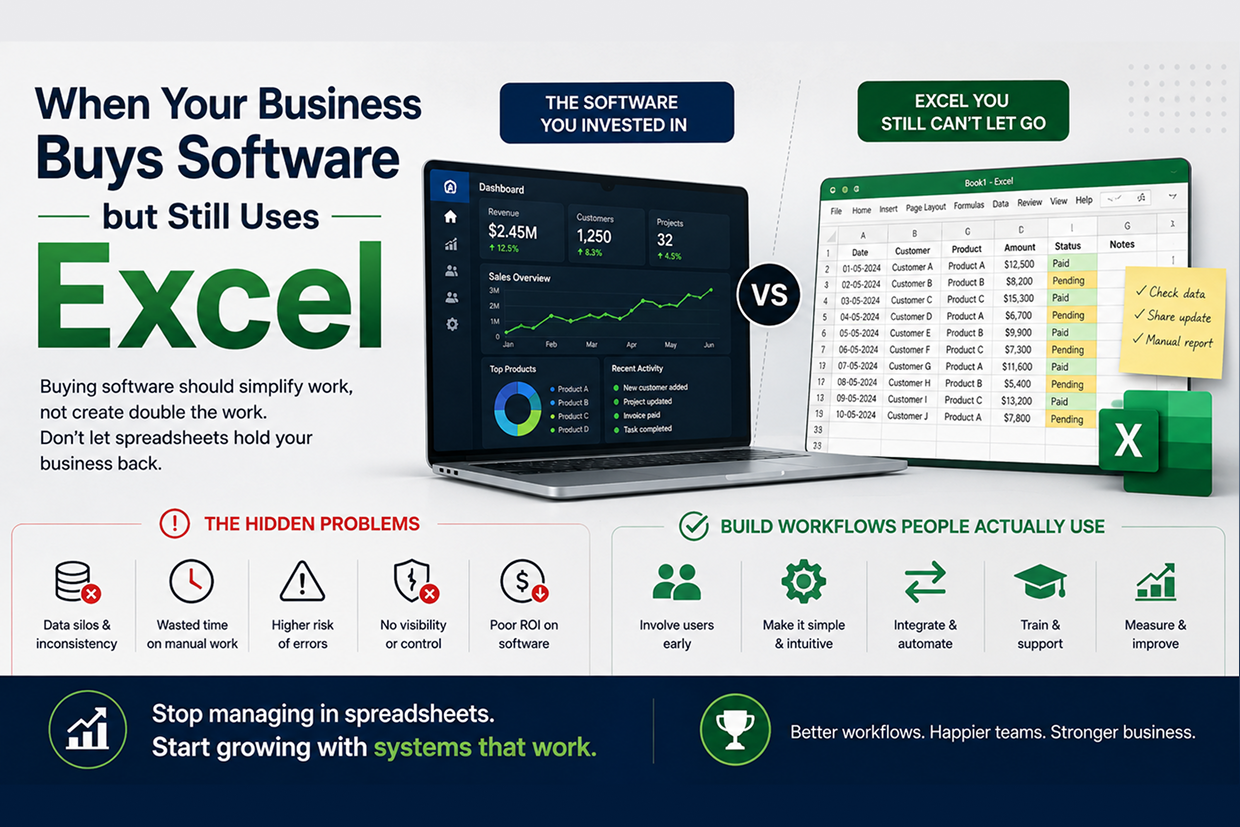
Why Your Business Buys Software but Still Uses Excel
Short answer: Businesses often buy software but keep using Excel because generic software doesn't fit how their teams actually work, which creates hidden costs and human-error risk. The fix is to replace the workaround, not the employee, with custom software, integrations and workflows that fit real processes.
A business buys new software with the expectation that everything will become easier.
Customer records should be centralized.
Reports should be automated.
Teams should stop maintaining separate files.
Managers should have better visibility.
But a few months later, something unexpected happens.
The software is being used for some tasks.
Excel is still being used for everything else.
One employee maintains a spreadsheet for tracking leads. Another keeps a separate file for payments. Someone downloads data from the main system and creates another report manually.
The business has invested in software.
But the actual process still depends on spreadsheets.
This is a common sign that the software does not fit the way the business actually works.
Why Employees Keep Going Back to Excel
It is easy to blame employees for not using the new system.
In reality, there is usually a reason.
Excel feels familiar. Employees already know how to use it. They can quickly create columns, formulas, filters, and reports without waiting for a developer.
The problem begins when those individual spreadsheets become part of the official business process.
For example:
CRM → Export Data → Excel → Manual Changes → Email Report
Instead of:
CRM → Automated Workflow → Real-Time Report
The spreadsheet has become a missing layer between the software and the business process.
The Hidden Cost of Using Both
At first, maintaining Excel alongside business software may seem harmless.
Over time, it creates multiple versions of the truth.
| Using Software + Separate Excel Files | What It Can Cause |
|---|---|
| Same data entered twice | More employee effort |
| Different file versions | Conflicting information |
| Manual calculations | Higher error risk |
| Files shared through email | Difficult version control |
| Reports prepared separately | Delayed decision-making |
| Employees build personal workarounds | Inconsistent processes |
The biggest problem is not Excel itself.
The problem is using Excel to compensate for gaps in your business software.
When the Spreadsheet Becomes the Real System
Imagine a sales team using a CRM.
The CRM stores customer information, but the sales manager wants a report showing:
- Leads assigned to each employee
- Follow-ups due today
- Quotes waiting for approval
- High-value opportunities
- Leads with no activity for seven days
The software doesn't provide the exact workflow the manager needs.
So the manager exports the data into Excel every morning.
An employee updates the spreadsheet throughout the day.
At the end of the week, another person combines several files to prepare a management report.
Now the business has a CRM.
But the real operational workflow is happening inside Excel.
That creates a dangerous dependency.
Why Generic Software Doesn't Always Fit
Ready-made software is built to serve a broad range of businesses.
That is its strength—and sometimes its limitation.
A business may have a unique approval process, pricing model, reporting requirement, customer journey, or operational workflow that the software does not support.
Employees then create workarounds.
For example:
Software Doesn't Support Process → Employee Creates Spreadsheet → Another Employee Creates a Manual Report → Manager Uses the Report for Decisions
The more workarounds a business creates, the further its actual process moves away from the software it purchased.
The Human Error Problem
Every extra manual step creates another opportunity for something to go wrong.
A customer ID can be entered incorrectly.
A formula can be changed.
A row can be deleted accidentally.
An old spreadsheet can be used instead of the latest version.
A file can be sent to the wrong person.
A business may not notice the mistake until the information reaches a customer or affects a financial decision.
Automation doesn't eliminate all errors, but reducing unnecessary manual data handling reduces opportunities for avoidable mistakes.
How Businesses Can Fix the Problem
The solution isn't necessarily to ban Excel.
Excel can still be an excellent tool for temporary analysis, calculations, and individual tasks.
The real goal is to identify where spreadsheets have become part of a critical operational workflow.
Start by asking:
Why is the employee using Excel?
Maybe the software lacks a report.
Maybe an approval step is missing.
Maybe the workflow is too slow.
Maybe users can't customize a screen.
Maybe two systems aren't integrated.
Once the real reason is identified, the business can solve the underlying problem instead of simply telling employees to stop using spreadsheets.
Replace the Workaround, Not the Employee
Suppose employees export customer data into Excel because they need a customized follow-up list.
Instead of telling them:
Don't use Excel.
A better solution is:
CRM Data → Custom Filter → Follow-Up Dashboard → Automated Reminder
The employee gets the information they need without creating another unofficial system.
This is where custom software development becomes valuable.
Software can be designed around the actual workflow instead of forcing employees to create workarounds around limitations.
Signs Your Business Has Outgrown Its Current Software
Your organization may have a software-fit problem when:
- Employees maintain critical spreadsheets outside the main system.
- Managers request reports that staff manually prepare.
- The same information is entered into multiple applications.
- Employees regularly export and re-upload data.
- Different departments maintain different customer records.
- Important approvals happen through email or messaging apps.
- Nobody is completely sure which file contains the latest information.
These are not simply "Excel problems."
They are process design problems.
What the Better System Looks Like
A well-designed business system should allow employees to complete the majority of their regular workflow in one connected environment.
For example:
Customer Enquiry
↓
Lead Created
↓
Employee Assigned
↓
Follow-Up Scheduled
↓
Quotation Generated
↓
Approval Completed
↓
Payment Recorded
↓
Customer Updated
↓
Management Dashboard Updated
No repeated copying.
No separate master spreadsheet.
No asking five people for the latest status.
The system becomes a single source of operational truth.
Business Benefits of Removing Spreadsheet Dependency
When businesses replace critical spreadsheet work with connected workflows, they can achieve:
Better data accuracy because information is entered and managed centrally.
Faster reporting because managers can access information without waiting for manual reports.
Less repetitive work because employees no longer copy data between systems.
Better accountability because actions and approvals can be tracked.
Easier onboarding because employees follow a defined workflow instead of learning someone's personal spreadsheet method.
Greater scalability because the process does not become increasingly difficult as customers and employees increase.
Don't Ask "How Do We Remove Excel?"
The better question is:
"Why does our team still need Excel to get the job done?"
That question leads to the actual problem.
Maybe the software needs an integration.
Maybe the business needs a custom dashboard.
Maybe an approval workflow needs to be automated.
Maybe multiple systems need to communicate.
Maybe the existing software has simply reached its limits.
Once the reason is understood, technology can be used to solve it properly.
Conclusion
Excel is not the enemy.
In fact, it remains a useful business tool.
The problem begins when a spreadsheet quietly becomes the system that keeps the business running—even after the company has already invested in dedicated software.
When employees repeatedly export, modify, combine, and share data outside the main platform, it is often a sign that the existing software does not fully support the business process.
The goal isn't to replace every spreadsheet.
The goal is to eliminate the spreadsheets that the business has become dependent on.
At Vriksha Techno Solutions, we help businesses identify these process gaps and build custom software, integrations, dashboards, and automated workflows that fit the way their teams actually work.
Frequently Asked Questions
Why do employees keep using Excel after the business buys new software?
Because the software covers only some tasks and generic software doesn't always fit how teams work, so spreadsheets become the real system for everything else.
What is the risk of using both software and spreadsheets?
Records are split across separate files, which raises the chance of human error and reduces the visibility managers expected from the new system.
Should a business try to remove Excel entirely?
No. The goal isn't to replace every spreadsheet but to eliminate the ones the business has become dependent on, by fixing the process gaps behind them.
Ready to Build Your Next Digital Product?
Our experts will respond within 24 hours with a tailored approach for your project.