Cab Booking Platform: How to Connect Riders and Drivers Online
Booking a cab should be a simple process. Customers want to enter their pickup and destination locations, compare available vehicle categories, understand the estimated fare, and arrange a ride without unnecessary delays. At the same time, drivers need an efficient way to receive ride requests, manage trips, and monitor their earnings.
A digital cab booking platform brings these activities together through rider and driver mobile applications supported by a centralized administration system. It helps businesses coordinate ride requests, manage drivers, calculate trip charges, and monitor daily operations through a connected digital solution.
For entrepreneurs and transportation businesses, cab booking app development provides a way to establish an organized ride-booking service without necessarily owning and maintaining a fleet of vehicles. Drivers can provide their own services, while the platform coordinates the booking process.
What Is a Cab Booking Platform?
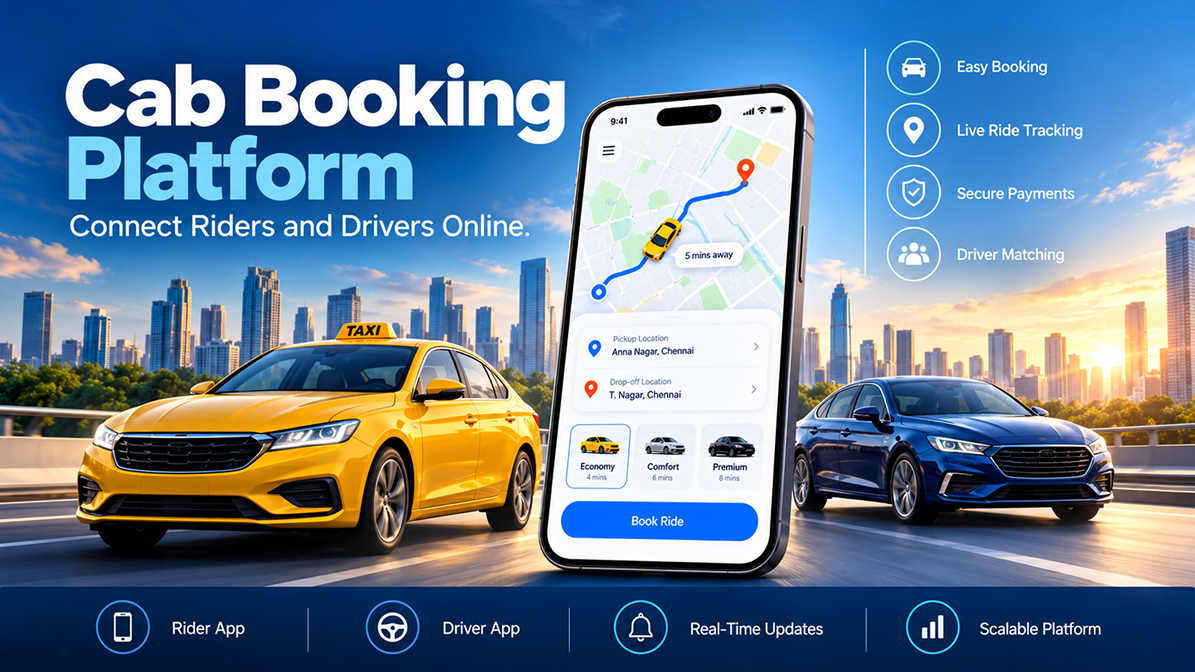
A cab booking platform is a digital system that connects passengers who need transportation with drivers who can fulfil their ride requests. It typically includes a rider application, a driver application, and an administrative web panel.
Each component serves a different purpose:
- Rider app: Allows customers to register, enter trip details, select a vehicle category, book rides, track trips, and make payments.
- Driver app: Allows approved drivers to receive ride requests, accept or reject them, navigate to pickup locations, manage trips, and review earnings.
- Admin panel: Enables the business to manage users, approve drivers, configure rates, oversee bookings, and review financial and operational reports.
These components work together to support the ride lifecycle, from the initial booking request to trip completion and payment calculation.
Essential Features of a Cab Booking App
1. Simple Registration and OTP Verification
A straightforward registration process helps riders and drivers access the platform using their mobile numbers. One-time password (OTP) verification can be used to verify the phone number during login or registration.
Riders can register through the application, while drivers may need administrator approval before their accounts become active. This creates a distinction between customer onboarding and driver authorization.
2. Map-Based Pickup and Destination Selection
Location selection is one of the core functions of a ride-hailing application. Riders need to specify where they want to be picked up and where they want to go.
A map-based interface can support:
- Displaying the rider's current location
- Searching for pickup and destination addresses
- Adjusting the pickup point by moving a map pin
- Viewing the route between pickup and destination
- Choosing a suitable vehicle category
Accurate location selection helps drivers identify the pickup point and allows the platform to process the ride request using its configured location rules.
3. Multiple Vehicle Categories and Fare Rates
Different customers have different transportation requirements. A cab booking platform can offer categories such as hatchbacks, micro cars, mini cars, sedans, and SUVs, depending on the service's fleet and business model.
Administrators can configure rate cards for supported vehicle categories and cities. The platform can then calculate trip charges according to the configured fare rules.
Waiting-time charges and cancellation fees can also be managed through administrative settings. Clear pricing rules help businesses maintain consistent fare calculations and communicate charges to customers.
4. Ride Booking and Driver Assignment
Once a rider selects a vehicle category and confirms the booking, the platform sends the ride request to eligible drivers according to its configured assignment rules.
For example, driver selection can consider:
- Geographical coverage or geofencing rules
- The number of rides completed during the day
- Driver earnings for the day
- The number of drivers who should receive the request
In a configurable dispatch workflow, drivers receive a ride alert and can accept or reject the request. The driver who accepts the invitation is assigned the ride. A driver who rejects a request may be required to provide a reason for the administrator.
If no driver accepts within the configured time or all contacted drivers reject the request, the rider may need to initiate the search again. The exact reassignment and retry process should be defined during implementation.
5. Real-Time Ride Tracking
Ride tracking helps riders understand the progress of their journey and gives drivers access to route information. The application can display map-based tracking during the pickup and trip stages.
Useful tracking capabilities include:
- Viewing the driver's route to the pickup location
- Following the ride on a map
- Viewing pickup and destination details
- Sharing ride details through supported applications
Location accuracy and update frequency depend on device permissions, connectivity, mapping services, and implementation details.
6. Driver App and Trip Management
Drivers need a dedicated interface to manage their availability and daily work. After account approval, the driver can select a vehicle, go online, and begin receiving eligible ride requests.
A driver application can provide:
- Online and offline status controls
- Ride request alerts with accept and reject options
- Navigation to pickup locations
- Controls to start and stop an active ride
- Ride history and trip details
- Wallet balance and withdrawal requests
- Daily ride, earnings, and cash collection statistics
Drivers can also view trip information such as pickup and destination addresses, ride status, date, time, and calculated trip cost. These features help organize driver activities and make completed rides easier to review.
7. Wallet, Cash, and Digital Payments
Flexible payment options are important for a cab booking service. Depending on the configured payment methods, riders may pay through a wallet or cash.
Wallet functionality can allow riders to add funds and view their available balance. Driver wallet features can display balances and support withdrawal requests. Administrators can review wallet transactions and manage related records.
Online payments require suitable payment gateway integration. Supported payment methods, transaction fees, refunds, settlement rules, and wallet accounting should be confirmed before launch.
8. Waiting-Time and Cancellation Management
Waiting time and cancellations can affect the cost of a trip. A platform can let administrators define a free waiting period and an additional charge per minute after that period.
For example, if the configured free waiting period is 15 minutes, chargeable waiting time begins after those 15 minutes and stops when the driver starts the trip. The actual free period and per-minute rate should be set by the business.
Similarly, cancellation settings can define a free cancellation window and a flat cancellation charge outside that window. These rules should be communicated clearly to riders and applied consistently.
9. Emergency Contacts and SOS Alerts
Rider safety is an important consideration in transportation applications. An emergency-contact feature can allow riders to save contacts who may receive an SOS message when the rider triggers an alert.
The interface should make it clear when an alert is sent and which contacts receive it. Businesses should also define the scope and limitations of this feature; an SOS message to personal contacts is not the same as an emergency-services dispatch system.
10. Ratings, Reviews, and Referral Rewards
Feedback helps a platform understand ride quality and customer experiences. After a completed ride, riders can rate drivers, while drivers can rate riders.
A referral feature can encourage riders to invite friends through supported sharing channels. The business can configure reward points or promotional offers according to its referral policy.
Administrators can review driver feedback, manage coupons and rewards, and send promotional notifications to registered users.
Admin Panel: Centralized Cab Business Management
A web-based admin panel gives the operator visibility and control over the cab booking service. Rather than managing each activity separately, administrators can monitor users, rides, vehicle categories, rates, payments, and reports from one interface.
User and Driver Management
Administrators can manage rider and driver profiles, enable or disable accounts, review driver documents, and examine driver feedback. Driver verification and activation rules should be established before the service goes live.
Ride and Vehicle Management
The administration system can provide ride listings, trip details, cancelled ride records, withdrawal requests, and vehicle category management. These functions help staff investigate booking issues and maintain operational records.
Rate Cards and Platform Settings
Administrators can configure vehicle categories, fare cards, waiting-time rules, cancellation settings, currency options, commissions, and payment methods. Centralized configuration helps the business adjust its service rules without relying on separate manual processes for every trip.
Notifications and Reports
Push notifications can be used for offers and scheduled messages, subject to the configured notification service. Reports can cover user activity, ride orders, commissions, and payouts. Dashboard statistics can also show ride totals, registered users, and wallet balances over selected periods.
How Does a Cab Booking Platform Work?
- Registration: The rider verifies their mobile number and accesses the app. Drivers complete the required onboarding and approval process.
- Trip details: The rider enters the pickup and destination locations and chooses a vehicle category.
- Fare and payment selection: The platform applies the configured fare rules and lets the rider choose an available payment method.
- Driver dispatch: Eligible drivers receive the request according to the platform's dispatch settings.
- Ride acceptance: A driver accepts the request and proceeds to the pickup location.
- Trip execution: The driver starts and completes the ride using the application's trip controls.
- Payment and feedback: The platform calculates the trip charge, records the ride details, and allows users to submit ratings.
- Operational review: Administrators monitor rides, users, financial records, and performance reports.
Benefits of Building a Cab Booking App
For Riders
- Book rides through a mobile application.
- Choose from available vehicle categories.
- View routes and track ride progress.
- Access ride history and trip receipts.
- Use supported payment options and emergency-contact features.
For Drivers
- Receive and respond to ride requests through the driver app.
- Manage availability and trip status.
- Review completed rides and earnings statistics.
- Access wallet information and withdrawal workflows.
For Cab Business Owners
- Connect riders with approved drivers without necessarily maintaining an owned vehicle fleet.
- Manage bookings, users, vehicle types, and rate cards centrally.
- Monitor commissions, payouts, and ride statistics.
- Configure cancellation, waiting-time, and promotional rules.
- Use operational reports to evaluate service activity.
Important Considerations Before Launch
Successful cab booking app development requires more than a booking screen. Businesses should plan the operational, financial, and technical processes that support the service.
- Driver verification: Define document requirements, approval procedures, and account activation rules.
- Dispatch logic: Decide how drivers are selected, how long requests remain active, and what happens when requests are rejected or unanswered.
- Pricing transparency: Clearly define fares, waiting charges, cancellation fees, and any other applicable charges.
- Payment reconciliation: Establish how cash collections, wallet transactions, online payments, commissions, and payouts are recorded.
- Location permissions: Explain how location data is used and ensure the application handles permission restrictions and connection problems.
- Safety and privacy: Protect personal details, restrict access to sensitive information, and define how emergency alerts work.
- Third-party integrations: Confirm the required map, SMS/OTP, notification, and payment services, including provider fees and account ownership.
- Local operating requirements: Review applicable transport, driver, vehicle, insurance, tax, and data-protection obligations before launch.
Build a Digital Ride-Booking Solution
A well-designed cab booking platform connects riders and drivers through a structured digital workflow. Rider booking tools, driver trip management, location tracking, fare configuration, payment handling, and administrative reporting all contribute to a more organized service.
At Vriksha Tech, we help businesses explore and develop digital solutions aligned with their operational goals. If you are planning a cab booking application or a ride-hailing platform, our team can help you evaluate the required features, workflows, and integrations for your project.
Frequently Asked Questions
What is cab booking app development?
Cab booking app development involves creating the mobile applications and supporting systems that allow riders to request trips, drivers to manage rides, and administrators to oversee bookings and operations.
Does a cab booking business need to own its vehicles?
Not necessarily. A marketplace-style model can connect riders with approved independent drivers or transport providers. The business still needs a suitable driver onboarding process and must meet applicable operating requirements.
Can a cab booking app support different vehicle types?
Yes. A platform can offer multiple vehicle categories, with fare cards configured for each category or operating area.
How are drivers assigned to ride requests?
Assignment rules can consider factors such as location, daily ride counts, earnings, and the number of drivers contacted. The exact dispatch algorithm depends on the implementation.
Can customers pay using cash or a wallet?
A platform can support cash and wallet-based payment workflows. Additional online payment methods depend on the selected gateway and integration scope.
Can administrators manage waiting charges and cancellations?
Yes. Configurable settings can define a free waiting period, a charge per additional minute, a free cancellation window, and a cancellation fee.
Ready to Build Your Next Digital Product?
Our experts will respond within 24 hours with a tailored approach for your project.