How to Build an On-Demand Handyman App for Your Business
Finding a reliable plumber, electrician, cleaning professional, or home repair specialist can take time. Customers often depend on recommendations, phone calls, and separate service providers to get everyday jobs completed. An on-demand handyman app can make this process easier by connecting customers with service professionals through a single digital platform.
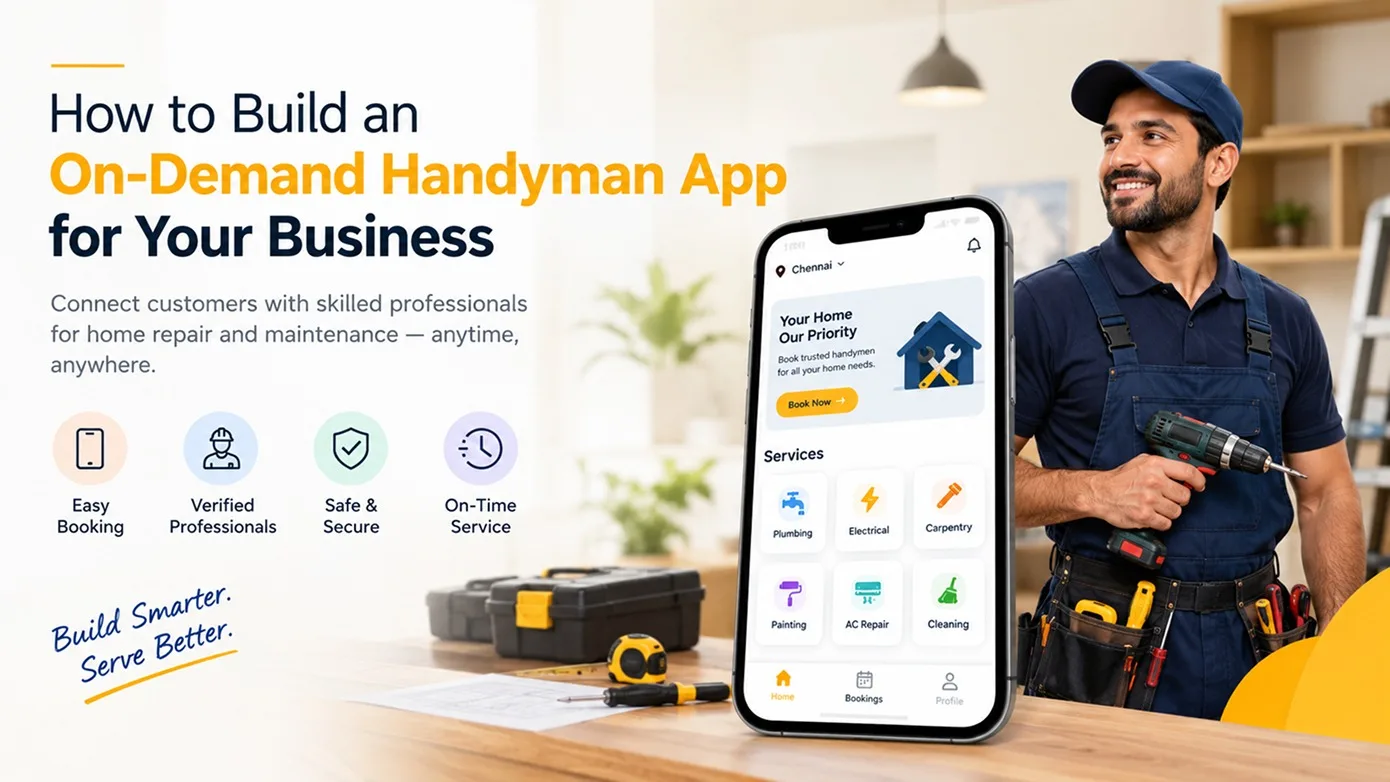
For entrepreneurs and established businesses, on demand-handyman app development offers an opportunity to create a platform for booking, managing, and tracking home services. Depending on the business model, the app can support a single service company or a marketplace that connects multiple independent professionals with customers.
Before starting development, it is important to understand the business model, essential features, booking workflow, revenue opportunities, and long-term maintenance requirements. This guide explains the key considerations for building a home service booking app.
What Is an On-Demand Handyman App?
An on-demand handyman app is a web or mobile platform that helps customers find and book professionals for household maintenance, repairs, installation, and other local services.
Customers can browse available services, review professional profiles, schedule appointments, and manage bookings. Service providers can create profiles, list their services, manage availability, and respond to customer requests. Administrators oversee users, service categories, bookings, payments, and platform operations.
The exact workflow depends on the business requirements. Some platforms allow customers to book a listed service directly, while others let customers post a job and receive offers or bids from professionals.
Choose the Right Handyman App Business Model
The business model determines how customers find professionals, how services are delivered, and how the platform generates revenue. Two common approaches are worth considering.
1. Single-Service Business Model
This model is suitable for a business that manages its own team of technicians or professionals. Customers book services through the company's website or app, while the business manages appointments, staff allocation, service pricing, and customer communication.
It can work well for businesses focused on a specific location or service category, such as plumbing, electrical repairs, appliance installation, or home maintenance.
2. Multi-Vendor Service Marketplace
A handyman service marketplace connects customers with multiple service providers through one platform. Each provider can manage a profile, list services, and handle eligible booking requests.
The platform owner manages registrations, service categories, commissions, customer complaints, reviews, and marketplace policies. Depending on the chosen workflow, customers may book professionals directly or post a job for providers to respond to.
Choose the model based on your target audience, operational capacity, service coverage, and expansion plans.
Essential Features of a Handyman App
A successful home services app should make the booking process straightforward for customers while giving service providers and administrators the tools needed to manage daily operations.
Customer Features
- User registration and login: Allow customers to create accounts and manage their profiles.
- Service categories: Organize plumbing, electrical work, cleaning, furniture assembly, appliance installation, and other services.
- Search and filters: Help customers find relevant services by category, location, availability, or other supported criteria.
- Professional profiles: Display service descriptions, pricing, experience details, and customer reviews where available.
- Booking calendar: Let customers select a suitable appointment date and time.
- Job requests: Allow customers to describe their requirements and submit a request when the business model supports it.
- Payments and invoices: Support the selected payment methods and provide booking or payment records.
- Ratings and reviews: Collect customer feedback after completed services.
- Booking management: Let customers review upcoming and previous bookings and manage cancellations according to platform policies.
Service Provider Features
- Provider registration: Allow professionals to register and submit the required profile information.
- Service listing management: Add or update service descriptions, categories, and prices.
- Availability management: Configure working hours and appointment availability.
- Booking management: View, accept, update, or decline requests according to the defined workflow.
- Job bidding or quotations: Support estimates or bids if the marketplace uses a request-and-offer model.
- Earnings and transactions: Review completed jobs, commissions, balances, and eligible payouts.
- Customer communication: Exchange booking-related messages through the communication channels included in the project scope.
Admin Dashboard Features
- User management: Manage customer and service-provider accounts.
- Service category management: Create and maintain service categories and related listings.
- Provider verification: Review submitted details and documents according to business policies.
- Booking oversight: Monitor appointments, cancellations, and booking status changes.
- Commission management: Configure and track platform commissions where applicable.
- Payment and payout management: Review transactions, refunds, and payout requests based on the selected payment workflow.
- Reviews and disputes: Moderate reviews and manage reported issues.
- Reports and analytics: Track bookings, revenue, provider activity, and customer engagement.
- Content management: Update website pages, service information, policies, and promotional content.
These are potential features, not a fixed checklist for every project. Prioritize the functions that directly support your business model, then expand as the platform grows.
How Does a Handyman Booking App Work?
A clear workflow reduces confusion for customers, providers, and administrators. A typical direct-booking process can follow these steps:
- Discover a service: The customer selects a service category and reviews available options.
- Choose a professional: The customer reviews provider details, pricing, and availability.
- Schedule the appointment: The customer enters the service address and selects an available date and time.
- Confirm the booking: The platform records the request and sends the relevant notifications.
- Complete the service: The professional performs the agreed work and updates the booking status.
- Process payment: Payment and any applicable platform commission are handled through the configured workflow.
- Collect feedback: The customer can leave a rating or review if that feature is enabled.
For a job-posting marketplace, the flow may be different: customers submit a task, eligible professionals respond with offers, and the customer selects a suitable provider. Define these workflows before development begins.
How Can a Handyman App Generate Revenue?
A handyman service marketplace can use one or more revenue models. The best option depends on customer expectations, provider economics, local competition, and the value the platform offers.
1. Commission on Bookings
The platform charges a predefined percentage or fee on eligible completed bookings. The commission structure should be transparent to customers and service providers.
2. Provider Subscription Plans
Professionals can pay a recurring fee for access to selected platform services or premium tools. The benefits and subscription limits should be clearly defined.
3. Featured Listings
Eligible professionals can pay for additional visibility in relevant search results or category listings. Sponsored placements should be clearly identified and should not undermine customer trust.
4. Lead or Job Fees
For platforms that distribute customer enquiries, the business may charge providers for eligible leads or job opportunities. Define when a fee applies and how disputes or invalid leads are handled.
Start with a revenue model that is easy to explain and operate. More complex pricing structures can be introduced after the platform has established demand and provider participation.
What Affects Handyman App Development Cost?
The handyman app development cost depends on the scope of the project rather than the app concept alone. A simple booking application and a multi-vendor marketplace with separate customer, provider, and admin experiences require different levels of design and engineering.
Consider these major cost factors before finalizing your budget:
- Platform coverage: A website, Android app, iOS app, or combination of platforms will affect the project scope.
- User roles: Separate customer, provider, and administrator workflows add design, development, and testing requirements.
- Booking complexity: Scheduling, provider availability, job requests, quotations, and cancellation rules influence implementation effort.
- Payment integration: Payment gateways, commissions, refunds, and provider payouts require appropriate integration and testing.
- Location-based services: Maps, address selection, service areas, and location-based provider discovery can increase complexity.
- Communication and notifications: In-app messaging, email, SMS, or push notifications add integration and maintenance work.
- Admin reporting: Custom dashboards, exports, and operational reports affect the scope.
- Security and quality assurance: Access controls, data protection, testing, deployment, and ongoing maintenance must be included in planning.
To obtain a meaningful estimate, prepare a feature list, identify the first release's essential workflows, choose the required platforms, and clarify third-party services. A detailed requirement document makes cost and timeline estimates more realistic.
Steps to Develop a Handyman App
1. Research Your Target Market
Identify the service categories, customer groups, locations, and provider types you intend to serve. Study competing services and identify what your platform can do differently, such as improving booking convenience or focusing on an underserved service area.
2. Define the Requirements
Document user roles, booking rules, provider approval, payment handling, cancellations, commissions, notifications, and reporting needs. Separate launch-critical features from future enhancements.
3. Design the User Experience
Create wireframes and prototypes for the customer booking journey, provider dashboard, and admin panel. Test the main workflows before committing to full development.
4. Develop the Platform
Build the frontend, backend, database, integrations, and administrative functions around the approved requirements. Plan the architecture to support the expected user volume and future expansion.
5. Test Important Workflows
Test registration, provider approval, search, scheduling, booking changes, payment processing, cancellation handling, notifications, and permissions. Validate the experience across the intended devices and browsers.
6. Launch and Monitor
Deploy the platform, onboard service providers, publish clear service policies, and promote it to the target market. Monitor booking completion, customer feedback, provider response rates, and operational issues after launch.
7. Improve Based on Real Usage
Use feedback and performance data to prioritize improvements. Add advanced features only when they solve a real customer or operational problem.
How to Make Your Handyman App Stand Out
Launching with many features does not automatically create a successful service marketplace. A strong platform needs a clear reason for customers and professionals to use it.
- Focus on a specific market: Start with a manageable geographic area or a well-defined group of services.
- Build provider trust: Establish clear registration, verification, complaint, and review policies.
- Make pricing understandable: Explain service charges, commissions, and any additional fees before confirmation.
- Reduce booking friction: Keep service discovery, appointment scheduling, and confirmation easy to follow.
- Support reliable operations: Give administrators the tools to resolve booking issues and monitor service quality.
- Plan for growth: Structure categories, service areas, and user permissions so they can be extended as requirements evolve.
Conclusion
Building an on-demand handyman app involves more than creating a booking interface. The platform must connect customers with suitable professionals, manage appointments, support the selected payment model, and give administrators control over daily operations.
Start by choosing between a single-service application and a multi-vendor marketplace. Define the essential features, map the main workflows, and estimate the development effort based on your actual requirements. A focused first release can help validate demand before you invest in more advanced capabilities.
At Vriksha Tech, we work on digital solutions tailored to business requirements. If you are planning a handyman booking platform, home services marketplace, or custom mobile application, discuss your requirements with our team to explore an appropriate development approach.
Planning your next digital product? Contact Vriksha Tech to discuss your project goals and requirements.
Further Reading
Looking to build a custom handyman app or home services marketplace? Vriksha Tech helps businesses explore custom software and digital solutions tailored to their requirements.
Frequently Asked Questions
What is a handyman app?
A handyman app connects customers with professionals who provide services such as plumbing, electrical repairs, cleaning, furniture assembly, and home maintenance. Depending on the business model, customers may book services directly or post jobs for providers to respond to.
What features should a handyman app include?
Common features include customer registration, service listings, search and filters, provider profiles, booking calendars, payment handling, booking management, reviews, provider dashboards, and an admin panel. The final feature set should match the business requirements.
How much does handyman app development cost?
The cost depends on platform coverage, user roles, booking complexity, payment integrations, location features, design requirements, and testing. A detailed scope is needed to prepare a reliable estimate.
Can a handyman app support multiple service providers?
Yes. A multi-vendor marketplace can allow multiple professionals to register, manage their services, and handle eligible customer requests. Provider approval, commission rules, and booking workflows should be defined during planning.
How can a handyman service marketplace earn revenue?
Possible revenue models include booking commissions, provider subscriptions, featured listings, and lead fees. Choose a model that fits the target market and clearly communicates charges to platform users.
What should businesses prepare before starting development?
Prepare the target audience, business model, service categories, user roles, booking workflow, payment requirements, platform choices, and launch priorities. These details help the development team estimate scope, cost, and timeline more accurately.
Ready to Build Your Next Digital Product?
Our experts will respond within 24 hours with a tailored approach for your project.