Why Your App Uses More Battery Than Your Users Expect
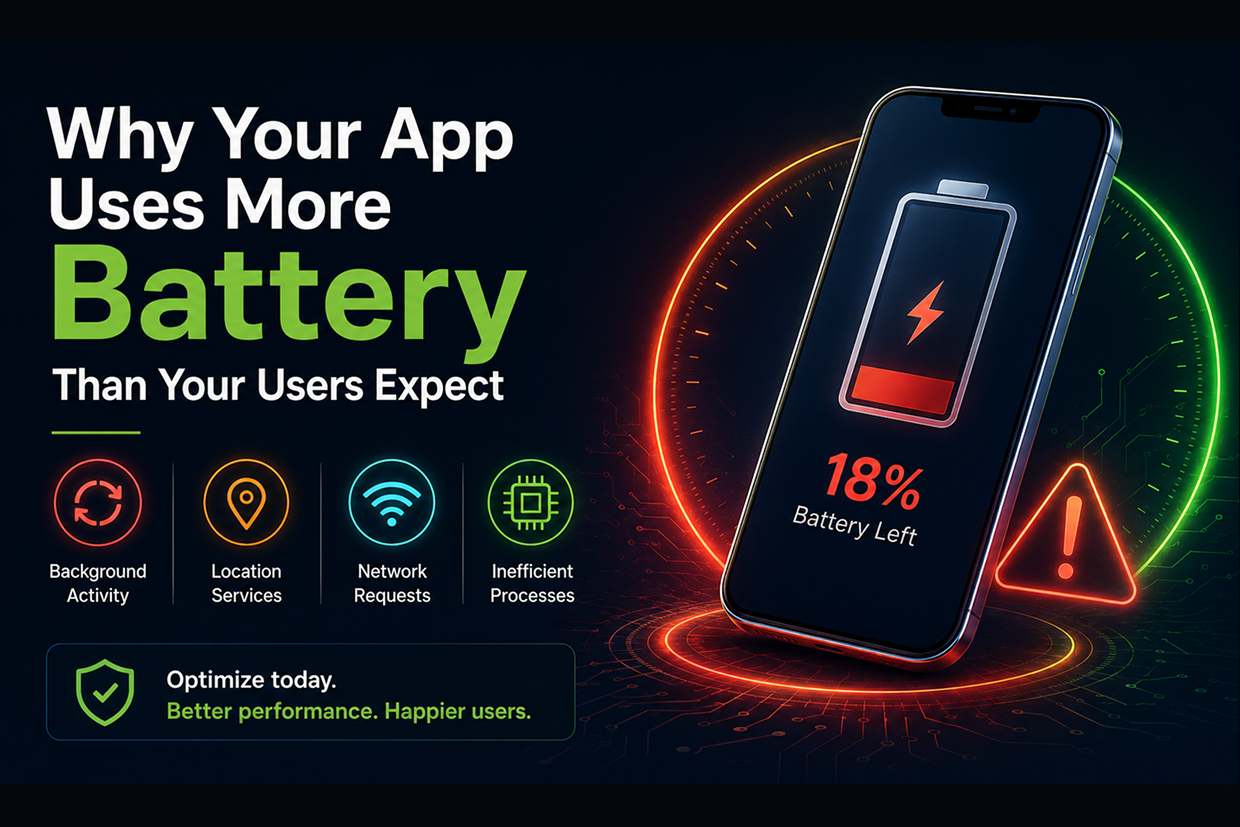
Short answer: Users blame the app when their battery drains faster than expected, and may stop using it or uninstall it. Common causes are background processes, location services, frequent network requests, heavy processing and poorly optimized third-party SDKs, so apps should be tested beyond a developer's own device.
A customer opens your app, checks an order, reads a notification, and closes it.
Later, the customer notices something unusual.
Their phone battery is dropping much faster than expected.
The customer may never investigate the technical reason. They simply associate the problem with your application.
The next time they need the service, they may use your website instead—or uninstall the app completely.
This is an often-overlooked part of mobile app development.
An app does not need to crash to create a poor experience.
Sometimes, it only needs to consume too much battery while running in the background.
Why Battery Usage Matters to Your Business
Battery is a limited resource on every mobile device.
Users expect applications to provide useful services without continuously consuming power when they are not actively using them.
When an application performs unnecessary background activity, repeatedly accesses location data, maintains excessive network connections, or performs inefficient processing, battery consumption can increase.
For customers, this can result in:
Shorter battery life → More charging → Frustration → Reduced trust in the app
For businesses, that can eventually become:
Poor reviews → Lower retention → Fewer active users
The problem is therefore not only technical.
It is part of the overall customer experience.
What Usually Drains an App's Battery?
Battery consumption can come from several parts of an application.
Background Processes
An app may continue performing tasks even when the user is no longer looking at it.
Examples include synchronization, location updates, content refreshes, and background data processing.
Location Services
Applications that continuously request location information can consume significant power, especially when high accuracy is requested more often than necessary.
A food delivery app may need location during an active delivery.
It probably doesn't need to track the user continuously after the order has been completed.
Frequent Network Requests
An application that repeatedly contacts its backend can keep the device's network hardware active more often than necessary.
For example:
Request → Receive Data → Request Again → Request Again
may be replaced with more efficient synchronization or event-driven updates where appropriate.
Heavy Processing
Image processing, video handling, encryption, large calculations, and machine-learning tasks can place additional load on the device.
Poorly Optimized Third-Party SDKs
Analytics, advertising, maps, social login, messaging, and other third-party SDKs can introduce additional background work if they are not carefully configured.
The Hidden Problem With "Always On" Features
Businesses sometimes assume that more frequent updates create a better customer experience.
But more frequent does not always mean better.
Imagine a delivery application checking the server every few seconds to see whether an order status has changed.
The customer may not notice a meaningful improvement.
But the phone may repeatedly wake the application, use network resources, and process responses.
A smarter architecture asks:
Does the information actually need to be updated this frequently?
For many situations, event-based notifications or intelligently scheduled synchronization can provide the required information without constant polling.
Battery Usage vs Feature Convenience
Businesses often have to balance functionality with device resources.
| Feature Approach | Potential Result |
|---|---|
| Continuous location tracking | Higher battery consumption |
| Frequent background refresh | More processing and network activity |
| Constant server polling | More network wake-ups |
| Heavy image processing on-device | Higher CPU usage |
| Smart, event-based updates | More efficient resource usage |
The goal is not to remove useful features.
It is to make each feature as efficient as possible.
How Developers Can Reduce Battery Consumption
Battery optimization starts during architecture and development rather than after users complain.
Reduce Unnecessary Background Activity
Background work should run only when it serves a real purpose.
Use Location Intelligently
Request location only when required and use the appropriate level of accuracy for the task.
Optimize Network Communication
Combine requests where appropriate, cache frequently used data, and avoid repeatedly downloading information that has not changed.
Process Heavy Tasks Carefully
Tasks that consume significant CPU or memory should be optimized and scheduled appropriately.
Review Third-Party Services
Every SDK added to an application should have a clear purpose. Unnecessary dependencies can add overhead to the application.
Why Testing on a Developer Device Is Not Enough
An application may appear to have excellent battery performance during development.
But real users have very different conditions.
Some users have:
- Older smartphones
- Smaller batteries
- Slower networks
- Different operating system versions
- Limited storage
- Multiple apps running simultaneously
This is why battery testing should include a range of real-world scenarios.
For example:
Light Usage → Normal Usage → Background Usage → Poor Network → Long Session
Testing these scenarios helps identify battery problems that may not appear during normal development.
Battery Problems Can Hide Behind Other Features
Sometimes an app isn't obviously doing anything intensive.
It may simply have several small processes running at the same time.
For example:
Analytics + Location + Notifications + Background Sync + Network Requests
Each feature may consume only a small amount of energy.
Together, they can have a much larger effect.
This is why mobile performance should be reviewed at the system level, not just feature by feature.
A Better Way to Think About Mobile Performance
Businesses often measure mobile performance using:
Speed → Crash Rate → Load Time
Battery efficiency should be considered alongside these metrics.
A better mobile experience also asks:
How much battery does the app consume during a typical session?
What happens when the app is in the background?
How often does it access the network?
Does it continue using resources after the user has finished their task?
These questions help identify inefficient behavior before it becomes a customer complaint.
The Business Impact of Efficient Apps
Battery optimization may appear to be a technical detail, but it can influence customer behavior.
A well-optimized application provides:
Better device experience
Longer usable battery life
Higher user satisfaction
Lower frustration
Better customer retention
More positive reviews
Customers may never know that an engineering team spent time reducing unnecessary background activity.
That's okay.
Good mobile engineering should often be invisible to the user.
They simply experience an application that works smoothly without getting in the way of using their phone.
When Should You Investigate Battery Usage?
Businesses should review battery performance when:
- Users report unusual battery drain.
- The app runs continuously in the background.
- Location features are heavily used.
- The app performs frequent synchronization.
- A new feature significantly increases resource usage.
- Third-party SDKs have recently been added.
- Battery complaints appear after an app update.
A change in battery behavior after a release can be an important signal that something in the application's architecture needs attention.
Conclusion
A mobile app competes for more than a user's attention.
It also competes for battery, storage, network bandwidth, and device resources.
When applications use those resources inefficiently, customers may experience a problem that has nothing to do with the feature they came to use.
The best solution is not simply to reduce functionality.
It is to build the functionality intelligently through optimized background work, efficient network communication, sensible location usage, careful third-party integrations, and continuous performance testing.
A good mobile app should be useful without becoming a burden on the device.
At Vriksha Techno Solutions, we build mobile applications with performance, scalability, security, and efficient resource usage in mind, helping businesses create reliable experiences that customers are comfortable keeping on their devices.
Frequently Asked Questions
What drains a mobile app's battery?
Background processes, location services, frequent network requests, heavy processing and poorly optimized third-party SDKs.
How can developers reduce battery consumption?
Reduce unnecessary background activity, use location intelligently, optimize network communication, process heavy tasks carefully and review third-party services.
Why is testing on a developer device not enough?
Real users' devices and conditions differ, so battery problems may not appear on a developer's own phone.
Ready to Build Your Next Digital Product?
Our experts will respond within 24 hours with a tailored approach for your project.