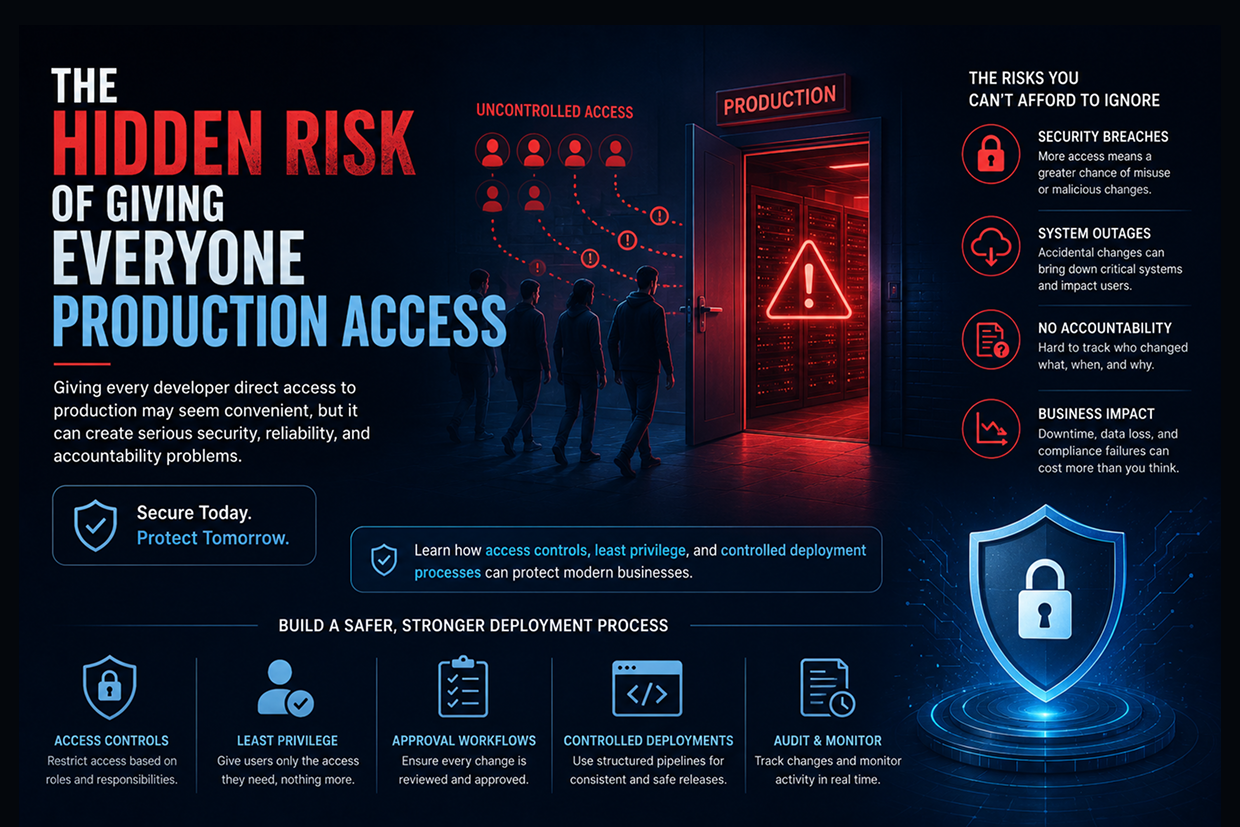
The Hidden Risk of Giving Everyone Production Access
Short answer: Letting every developer touch production feels fast, but one small mistake can become an outage that nobody can trace. Safer teams apply least privilege: role-based access, temporary elevated access, CI/CD deployments, protected secrets and audit logs.
Your development team is working quickly.
A customer reports a problem.
A developer logs into the production server, changes a configuration, restarts a service, and fixes the issue in a few minutes.
Everything looks fine.
Until something else stops working.
Nobody knows exactly what changed. Another developer makes another adjustment. The issue becomes harder to trace. In some cases, sensitive information may also be accessible to people who do not actually need it.
This is one of the most overlooked risks in growing technology teams:
Too many people having direct access to production.
Production systems contain the live applications, databases, customer information, infrastructure, secrets, and business-critical services that keep an organization running. Access to them should therefore be treated as a business responsibility, not simply a developer convenience.
Why Teams Give Everyone Production Access
The reason is understandable.
Direct access appears to make development faster.
A developer can investigate a problem immediately, change a configuration without waiting, or directly inspect a production database.
For a small team, this may seem practical.
But as the team grows, the same approach creates uncertainty.
More people with production access means more opportunities for:
- Accidental configuration changes
- Unauthorized data access
- Deleting or modifying important resources
- Exposing credentials
- Untracked production changes
- Difficult incident investigations
The problem isn't that developers cannot be trusted.
The problem is that critical systems should not depend on individual judgment alone.
One Small Mistake Can Become a Production Incident
Consider a developer who intends to update a test environment but accidentally changes a production configuration.
The application starts behaving differently.
Customers experience errors.
The team begins investigating.
But because several developers can make direct changes, there may be no clear record of who changed what or why.
| Open Production Access | Controlled Production Access |
|---|---|
| Many people can change systems | Access is limited by role |
| Manual changes are common | Changes follow defined workflows |
| Difficult to identify responsibility | Actions can be audited |
| Higher accidental-change risk | Fewer opportunities for mistakes |
| Emergency fixes become ad hoc | Emergency access can be controlled |
The difference is not about slowing developers down.
It is about making important changes predictable and traceable.
The Principle of Least Privilege
A strong security approach follows a simple rule:
Give people only the access they need to perform their job.
A frontend developer may need access to application logs and deployment systems.
They may not need unrestricted database administrator access.
A DevOps engineer may need infrastructure permissions.
A product manager may need dashboards but should not have access to production servers.
An external contractor may need temporary access to one specific resource rather than permanent access to the entire environment.
This reduces the damage that can result from accidental mistakes or compromised accounts.
Production Access Is More Than a Security Problem
Organizations often think of access control as something handled by the security team.
But production access affects:
- Reliability
- Compliance
- Incident response
- Data protection
- Developer workflow
- Business continuity
Imagine a critical database being modified accidentally.
The company may need to determine:
- Who made the change?
- When did it happen?
- What exactly changed?
- Why was it changed?
- Can it be reversed?
Without proper access controls and audit logs, answering these questions can be difficult.
How Businesses Can Reduce the Risk
The goal isn't to completely prevent developers from supporting production systems.
The goal is to create a controlled path to production.
Use Role-Based Access
Permissions should be assigned according to job responsibilities.
A person should not receive administrator privileges simply because they are part of the technical team.
Use Temporary Elevated Access
When someone needs additional permissions for a specific task, access can be granted temporarily and removed afterward.
Deploy Through CI/CD
Instead of manually changing production systems, teams can use automated deployment pipelines.
This creates a repeatable process for testing, approving, and releasing changes.
Protect Secrets
Database credentials, API keys, certificates, and other sensitive values should not be casually stored or shared among developers.
Maintain Audit Logs
Production activity should be traceable so teams can understand what happened during an incident.
Separate Environments
Development, testing, staging, and production should have clearly defined boundaries.
A Safer Development Workflow
A controlled release process can look like:
Developer → Code Review → Automated Testing → Staging → Approval → Production Deployment → Monitoring
Instead of:
Developer → Production Server → Manual Change
The first approach creates more consistency and makes it easier to identify problems.
It also allows developers to focus on writing and improving software rather than repeatedly managing production infrastructure manually.
Emergency Access Still Matters
What happens when production is completely down?
Teams may need immediate access.
A strong security model should account for emergencies rather than assuming they will never happen.
For example, businesses can use:
Temporary Emergency Access → Strong Authentication → Activity Logging → Automatic Expiration → Post-Incident Review
This allows teams to respond quickly while still maintaining accountability.
Security should not prevent incident recovery.
It should make emergency recovery controlled and auditable.
The Human Factor
Even experienced engineers make mistakes.
A command can be run against the wrong environment.
A configuration can be copied incorrectly.
A database query can affect more records than expected.
A forgotten permission can remain active for months.
Good infrastructure design assumes that humans can make mistakes and creates systems that limit the impact of those mistakes.
This is why automation and access control work so well together.
The system handles repetitive and sensitive actions consistently, while people focus on decisions that actually require human judgment.
Signs Your Production Access Model Needs Attention
Your organization may need to rethink production access when:
- Almost every developer has administrator privileges.
- Production changes are commonly made manually.
- Credentials are shared between team members.
- Nobody reviews access regularly.
- Former employees still appear in permission lists.
- Emergency access is permanent rather than temporary.
- There is no clear audit trail for production changes.
- Developers avoid the deployment pipeline because direct access is easier.
These are not just infrastructure issues.
They are indicators of operational risk.
Security Should Not Become a Developer Bottleneck
Some teams resist access controls because they fear developers will have to wait for someone every time they need to deploy a change.
That's not the goal.
A well-designed DevOps environment should make the secure path the fast path.
Automated deployments, appropriate permissions, self-service workflows, approval rules, and temporary access mechanisms can give developers the tools they need without giving everyone unlimited power.
The best security systems are not the ones that make work impossible.
They are the ones that make the safe way of working easy.
Conclusion
Giving everyone production access may feel efficient when a team is small, but it can create serious problems as the organization grows.
Too many permissions increase the risk of accidental changes, unauthorized access, data exposure, and difficult incident investigations.
A better approach combines least-privilege access, role-based permissions, automated deployments, secrets management, audit logging, and controlled emergency access.
The objective is simple:
The right person should have the right access, for the right reason, for the right amount of time.
At Vriksha Techno Solutions, we help businesses build secure and reliable Cloud & DevOps environments with controlled access, automated deployment pipelines, monitoring, infrastructure automation, and security practices designed to protect critical production systems.
Frequently Asked Questions
Why is giving everyone production access risky?
One well-meant change can cause an incident that is hard to trace, and sensitive data or secrets may be exposed to people who don't need them.
What is the principle of least privilege?
People get only the access their role needs, for the reason they need it and only for as long as they need it.
How can a business reduce production access risk?
Use role-based access, temporary elevated access, CI/CD deployments, protected secrets, audit logs and separate environments, and keep a clear emergency-access process.
Ready to Build Your Next Digital Product?
Our experts will respond within 24 hours with a tailored approach for your project.