×
Search Vriksha Techno Solutions Products, services, case studies, and articles
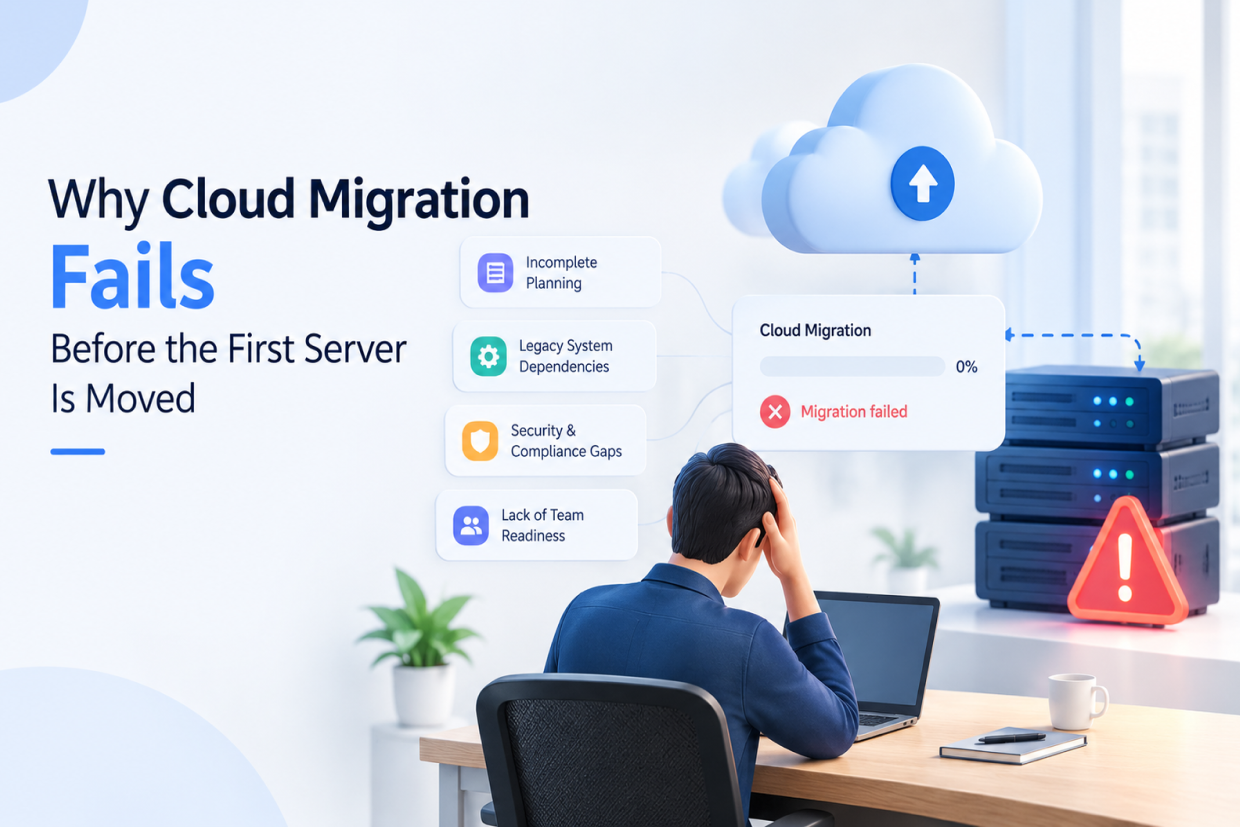
Why Cloud Migration Fails Before the First Server Is Moved

Why Cloud Migration Fails Before the First Server Is Moved

Why Cloud Migration Fails Before the First Server Is Moved

Short answer: Cloud migrations usually fail during planning, not during the move itself. The common causes are incomplete dependency mapping, treating every workload the same way, no real data migration plan, security assumptions that do not carry over from on-premise, testing that only checks features instead of infrastructure behaviour, and no clear rollback plan.

A company decides to move its applications to the cloud.

The decision may come from several places. The infrastructure is becoming expensive to maintain. The existing servers are aging. The business wants better scalability. A new application needs infrastructure that can be provisioned faster. The company wants stronger disaster recovery options. Or the current data center simply no longer fits the direction of the business.

The management team approves the project.

A cloud provider is selected.

The migration project is added to the development roadmap.

Everyone starts talking about moving servers.

Then someone asks an important question:

“What exactly are we moving?”

The question sounds simple. It rarely has a simple answer.

Nobody Has a Complete List of What Is Running

Most companies grow faster than they document. Applications get added, integrations get wired together, and small scripts quietly start doing important work \u2014 a nightly export, a webhook that syncs two systems, a scheduled job nobody remembers writing. By the time a migration is planned, the real list of what is running, and what depends on it, usually lives in several people's heads rather than in a single document.

This is where migrations start losing time before a single server moves.

Dependency Mapping Has to Come Before the Move, Not During It

An application rarely runs on its own. It talks to a database, calls a payment gateway, writes to a shared file store, and maybe depends on a service that a different team owns entirely. If those connections are not mapped before migration begins, they get discovered one at a time, in production, usually as an outage.

Proper dependency mapping means tracing every application to the databases it reads and writes, every third-party API it calls, every internal service it depends on, and every scheduled job that touches its data. It is slow, unglamorous work \u2014 and skipping it is the single most common reason a "simple lift-and-shift" turns into a six-month project.

Not Every Workload Should Move the Same Way

Once the dependency map exists, the next question is how each piece should actually move. A stateless web application can often be lifted and shifted with minimal change. A legacy application tightly coupled to specific hardware, an old database version, or a licensing model built around physical servers usually cannot \u2014 it needs to be re-architected first, or it breaks the moment it lands in the cloud.

Treating every workload the same way \u2014 moving all of them with the same approach on the same timeline \u2014 is where realistic migration plans quietly turn into unrealistic ones.

Data Migration Needs Its Own Plan

Moving code is usually the easy part. Moving data safely, without downtime and without corruption, is where migrations get genuinely difficult.

Questions worth answering before migration day, not during it: How large is the dataset, and how long will the transfer actually take at real network speeds? Can the business tolerate a maintenance window, or does data need to sync continuously until cutover? What happens if the migration needs to be paused halfway through? A data migration plan that only accounts for the happy path is not a complete plan.

Security Assumptions Do Not Transfer Automatically

An on-premise network has assumptions baked into it that do not exist in the cloud by default \u2014 a firewall boundary, physical access control, a private network that nothing external can reach. Moving to the cloud does not carry those assumptions with it. Identity and access management, network segmentation, and encryption need to be deliberately designed for the new environment, not assumed to already be in place.

Security reviewed only after the migration is complete is security reviewed too late.

Testing the Migration Is Not the Same as Testing the Application

An application can pass every functional test and still fail after migration, because the tests were built to verify features, not to verify that the application behaves correctly under a new infrastructure's latency, storage performance, or network configuration. Load testing, failover testing, and a real trial run with production-like data catch problems that functional testing alone never will.

A Rollback Plan Is Not Optional

Every migration plan should answer one uncomfortable question directly: if this goes wrong in production, how do we get back to a working state, and how long will that take? Teams that can answer this clearly, before cutover, treat a migration problem as a manageable incident. Teams that cannot are the ones making high-pressure decisions live, with the business watching.

The Business Requirements Behind the Technical Project

A cloud migration is usually approved for business reasons \u2014 cost, scalability, reliability, or speed of delivery. Those reasons need to stay visible through the technical planning, because they define what "success" actually means. A migration that is technically complete but ends up costing more, or that improves reliability for a system nobody urgently needed to be more reliable, has not delivered the outcome the business actually asked for.

Planning Is the Work, Not the Delay

None of this means migrations should move slowly out of caution. It means the planning stage \u2014 dependency mapping, workload assessment, a real data migration plan, security design, meaningful testing, and a rollback plan \u2014 is not overhead standing between a company and the cloud. It is the actual work. The server move itself is usually the easy part.

At Vriksha Techno Solutions, our Cloud & DevOps Services cover this planning stage as carefully as the migration itself \u2014 dependency mapping, workload assessment, security design, and a tested rollback plan \u2014 so the move to the cloud is a controlled project, not a surprise.

Frequently Asked Questions

Why do cloud migrations fail before any server is actually moved?

Most failures trace back to planning gaps - an incomplete map of application dependencies, workloads treated identically regardless of how they are built, and no tested rollback plan - discovered only after the project is already underway.

What is dependency mapping and why does it matter for cloud migration?

Dependency mapping is tracing every database, API, internal service, and scheduled job an application relies on before migration begins. Skipping it means those connections get discovered one at a time in production, usually as an outage.

Should every application move to the cloud the same way?

No. A stateless application can often be lifted and shifted with minimal change, while an application tightly coupled to specific hardware or an old database version usually needs to be re-architected first.

Ready to Build Your Next Digital Product?

Our experts will respond within 24 hours with a tailored approach for your project.
Explore Cloud & DevOps →
  Talk to our expert!

Share Your Project Details

We'll get back within 24 hours.

Never shared.

Build Scalable AI-Powered Digital Platform To Success

21+ Years of Expertise
1200+ Projects Delivered
800+ Global Clients
NDA Protected Always

Trusted By Startups And Fortune 500+ Brands Across 12+ Countries

Start the conversation by sharing your goals

—we'll handle the technical strategy to get you there.

🌐 +91 ▼
✓

Thank You!

Thank you! We'll get back to you within 24 hours.

Chat with us