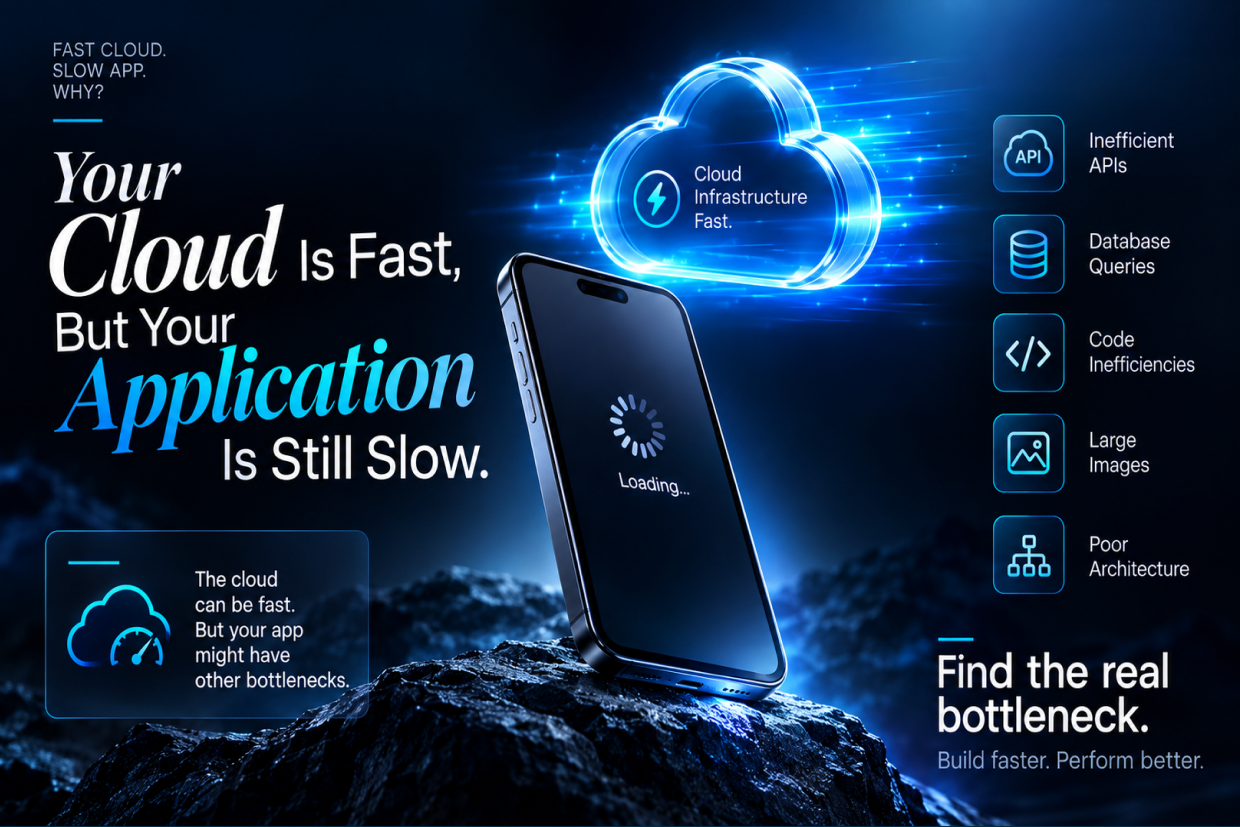
Your Cloud Is Fast, But Your Application Is Still Slow
Short answer: A powerful cloud server can't fix every performance problem. Slowness often comes from the database, APIs, third-party services, missing caching or large images, so the right approach is to measure, trace, identify, optimize and measure again before upgrading infrastructure.
A company moves its application to the cloud expecting better performance.
The servers are powerful. The network is reliable. CPU and memory usage look normal. Yet users still complain that pages take too long to load, dashboards feel slow, and some actions take several seconds to complete.
The team may assume the cloud infrastructure is the problem.
But often, the cloud is working perfectly. The application is the bottleneck.
Cloud infrastructure provides the resources. The application decides how those resources are used.
The Server Can Be Fast While the Database Is Slow
An application may depend on large database queries, repeated requests, or inefficient joins. The server may have plenty of processing capacity, but users still wait because the application is asking the database to do unnecessary work.
For example, a dashboard may load thousands of records even though the user only needs the latest twenty.
Optimizing database queries can sometimes improve performance more than increasing server capacity.
Too Many API Calls Can Create Delays
Modern applications often depend on several APIs for customer information, products, payments, notifications, and other services.
If one screen makes many requests one after another, the user may experience a noticeable delay.
Reducing unnecessary API calls, combining related requests, and caching frequently used information can make the experience much faster.
The Frontend Can Also Be the Problem
Performance is not only about the backend.
Large images, heavy JavaScript, third-party scripts, unnecessary animations, and large application bundles can make a website or app feel slow even when the server responds quickly.
A useful performance check should therefore look at the entire journey:
| Area | Common Problem |
|---|---|
| Database | Slow or unnecessary queries |
| APIs | Too many sequential requests |
| Frontend | Heavy scripts or large assets |
| Caching | Same information repeatedly requested |
| Third-party services | Slow external responses |
More Cloud Resources May Not Solve the Problem
Suppose a third-party API takes three seconds to respond.
Adding more CPU to your server will not make that external service respond faster.
Similarly, if one database query is inefficient, adding more application servers may not solve the underlying issue.
This is why businesses should find the actual bottleneck before increasing infrastructure.
Measure Where the Time Goes
A useful performance review follows a real user action.
For example:
User opens dashboard → API request → Database query → Data processing → Response → Browser rendering
Measuring each stage helps identify where the delay actually happens.
A slow application is easier to fix when the team knows exactly which part is consuming the time.
Performance Changes as the Business Grows
An application that works well with a few hundred users may slow down as traffic, records, and features increase.
More users create more requests.
More records make queries heavier.
More integrations add more dependencies.
That is why performance should be monitored continuously instead of being checked only before launch.
Performance is an ongoing part of application development and cloud management.
The Real Goal Is a Faster User Experience
When an application is slow, the solution is not always a bigger server.
The team should review the database, APIs, frontend, caching, third-party services, and application architecture to understand where the delay is coming from.
A powerful cloud environment provides the foundation, but the application still needs to use that foundation efficiently.
Cloud speed and application speed are not the same thing.
A fast application comes from optimizing the complete system, from the user's first click to the final response.
At Vriksha Techno Solutions, cloud and DevOps solutions can be planned alongside application performance, covering infrastructure, APIs, databases, caching, monitoring, and deployment architecture to identify and address the real causes of slow applications.
Frequently Asked Questions
Why is my application slow on fast cloud infrastructure?
The infrastructure may be healthy while the application itself is the bottleneck, for example through database queries, API delays, third-party services, missing caching or images.
Do more servers always make an application faster?
No. The article notes that more servers don't always mean more speed.
How do you find the real bottleneck?
Measure, trace, identify, optimize and then measure again. The article's advice is to investigate before you upgrade.
Ready to Build Your Next Digital Product?
Our experts will respond within 24 hours with a tailored approach for your project.