Why Your Developers Spend More Time Fixing Deployments Than Building Features
Short answer: Developers lose time fixing deployments when releases are manual and environments differ, the classic 'works on my machine' problem. DevOps practices such as consistent environments, continuous integration, continuous delivery, rollback plans and monitoring after release make deployments faster and more reliable.
A development team finishes a feature.
The code works on the developer's machine.
Testing begins.
Everything looks fine.
Then someone deploys it to production—and something breaks.
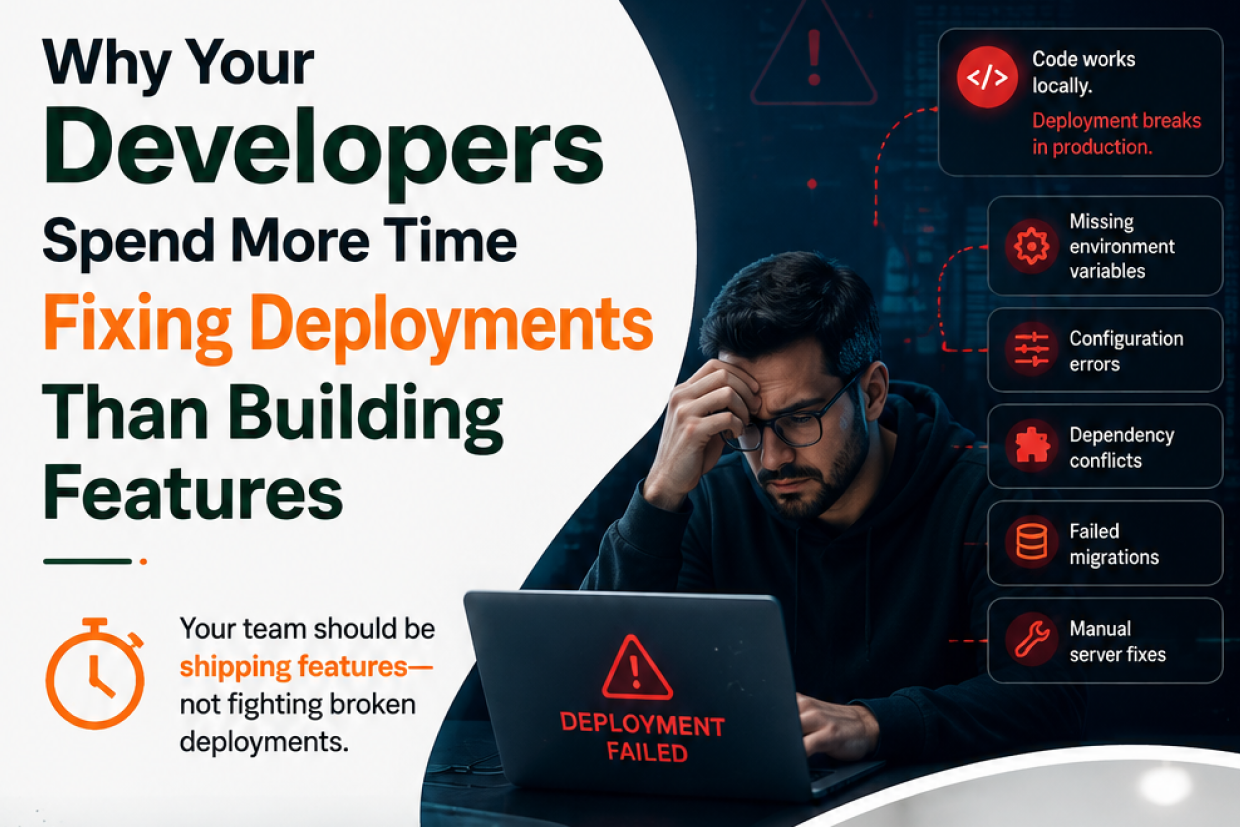
A configuration is missing. An environment variable is wrong. A dependency behaves differently. A database migration fails. A service doesn't restart correctly.
Now developers who were supposed to be building the next feature are busy investigating logs, rolling back releases, manually changing servers, and trying to understand what went wrong.
This happens more often than businesses expect.
The problem is usually not that developers don't know how to deploy software.
The problem is that deployment has become a manual process instead of an engineering process.
When Deployment Becomes a Bottleneck
In an efficient development environment, releasing software should be a predictable process.
Code → Test → Build → Deploy → Monitor
But many teams operate more like:
Code → Manual Testing → Manual Configuration → Deployment → Something Breaks → Debug → Fix → Deploy Again
Every manual step creates another opportunity for human error.
As the number of releases increases, these small risks become larger operational problems.
What Usually Goes Wrong
Deployment issues can come from many different places.
| Deployment Problem | What It Causes |
|---|---|
| Manual server configuration | Environment inconsistencies |
| Missing environment variables | Application failures |
| Different dependency versions | Unexpected production bugs |
| Untested database changes | Failed migrations |
| Manual release steps | Human errors |
| No automated rollback | Longer downtime |
The "Works on My Machine" Problem
One of the oldest problems in software development is also one of the most persistent.
A developer's local environment may contain:
- A specific operating system
- A particular runtime version
- Local configuration
- Cached dependencies
- Development credentials
- Different database settings
Production may have an entirely different environment.
The application works locally because the developer's machine provides everything it needs.
Production fails because something important was never reproduced correctly.
The solution is not to make every developer's machine identical.
The solution is to make environments predictable and reproducible.
How DevOps Changes the Deployment Process
DevOps practices help development teams replace manual deployment steps with repeatable automation.
A CI/CD pipeline can automatically:
Detect Code Change → Run Tests → Build Application → Scan Dependencies → Deploy → Verify → Monitor
Instead of asking a developer to remember every deployment step, the system performs those steps consistently.
That creates two major advantages:
Consistency
The same process is used for every release.
Speed
Teams don't have to repeat manual deployment work every time a feature is ready.
Continuous Integration Is More Than Running Tests
Continuous Integration (CI) allows developers to automatically validate changes when code is committed.
Depending on the application, the pipeline may run:
- Unit tests
- Integration tests
- Code quality checks
- Dependency checks
- Security scans
- Build validation
This helps catch problems earlier.
Finding a broken dependency immediately after a code change is much easier than discovering it after the application has reached production.
Continuous Delivery Reduces Release Anxiety
Some teams delay releases because deployment feels risky.
This creates another problem.
Large releases contain many changes, making it harder to identify which change caused a problem.
CI/CD encourages smaller and more frequent releases.
That means:
Smaller Change → Smaller Risk → Easier Testing → Easier Rollback
Instead of waiting weeks or months to deploy a large batch of changes, teams can deliver improvements in smaller increments.
Why Rollback Should Be Part of the Plan
Even with automation and testing, failures will still happen.
The important question is:
What happens when a release fails?
If the answer is "the developer will investigate manually," recovery may take a long time.
A mature deployment process includes an automated or well-defined rollback strategy.
For example:
New Release → Health Check Fails → Previous Stable Version Restored
This turns a serious production incident into a controlled recovery process.
Monitoring Should Continue After Deployment
A deployment is not finished when the application starts successfully.
The software may be running but still behaving incorrectly.
For example:
- API response times may increase.
- Memory usage may spike.
- Error rates may rise.
- A specific feature may fail.
- Database connections may become exhausted.
This is why production monitoring should track application health after every release.
| What to Monitor | Why It Matters |
|---|---|
| Error Rate | Detects application failures |
| Response Time | Identifies performance degradation |
| CPU and Memory | Shows resource pressure |
| Database Health | Finds backend bottlenecks |
| Traffic | Reveals unusual usage patterns |
| Deployment Health | Confirms whether a release behaves normally |
A successful deployment is not just a successful upload. It is a healthy application after release.
The Human Error Factor
Many deployment failures are not caused by complex technical problems.
They happen because someone:
- Forgot a configuration value
- Deployed to the wrong environment
- Used an outdated file
- Skipped a test
- Changed production manually
- Missed a deployment step
Automation removes many of these opportunities for mistakes.
The objective isn't to remove developers from the process.
It is to let developers spend their time on engineering decisions instead of repetitive deployment tasks.
What an Efficient Deployment Pipeline Looks Like
A practical pipeline can look like this:
- Developer Push
- Automated Build
- Automated Tests
- Security and Quality Checks
- Staging Deployment
- Validation
- Production Deployment
- Health Monitoring
- Automatic Rollback if Required
This creates a predictable path from code to production.
Signs Your Deployment Process Needs Attention
Your team may have a DevOps problem if:
- Developers are afraid to deploy on Fridays.
- Every deployment requires a senior developer.
- Production configuration is changed manually.
- The same deployment problem happens repeatedly.
- Releases require long maintenance windows.
- Nobody knows exactly how to roll back.
- Testing is mostly manual.
These are not simply developer frustrations.
They are business efficiency problems.
What Businesses Gain From Better Deployment Practices
When deployment becomes predictable, organizations can release software faster and with less operational risk.
Developers spend more time building products.
Testing happens earlier.
Problems are detected sooner.
Releases become smaller and easier to understand.
Customers receive improvements faster.
And engineering teams spend less time fighting deployment issues.
The real benefit of DevOps is therefore not simply technical automation.
It is giving the business the ability to change quickly without creating unnecessary operational risk.
Conclusion
If developers spend more time fixing deployments than building features, the problem may not be the development team.
It may be the deployment process.
Manual configuration, inconsistent environments, weak testing, missing monitoring, and unclear rollback procedures can turn a simple software release into a stressful event.
A well-designed Cloud & DevOps approach replaces that uncertainty with automation, repeatability, monitoring, and controlled recovery.
The result is a development environment where teams can focus on what they were hired to do:
Build, improve, and deliver better products.
Build a Faster and More Reliable Deployment Process
At Vriksha Techno Solutions, we help businesses modernize their development and deployment workflows with CI/CD automation, cloud infrastructure, monitoring, containerization, and DevOps practices designed to make software delivery faster and more reliable.
Talk to our team →
Frequently Asked Questions
Why do developers spend so much time fixing deployments?
Releases fail on things like missing configuration, wrong environment variables, differing dependencies or failed database migrations, pulling developers away from building features.
What is the 'works on my machine' problem?
Code that works on a developer's machine breaks in production because the environments differ. DevOps addresses this with consistency between environments.
What does an efficient deployment pipeline include?
Continuous integration, continuous delivery, a rollback plan and monitoring after deployment.
Ready to Build Your Next Digital Product?
Our experts will respond within 24 hours with a tailored approach for your project.